
Back
Figma Slides
01 Oct 2025
Building Dashboard
for internal teams
Yes, Internal team loved our new feature. Trust me

Company Overview
Tap Invest is a fixed rental income marketplace where retail investors can access opportunities like Invoice Discounting, Asset Leasing, Fixed Deposits, Pre-IPOs, and more. The operation runs through two divisions.
Tap Invest, serving retail investors, and Tap Capital, handling the business side with companies seeking critical working capital. I was stationed in Tap Capital’s ranks, the B2B unit working behind the scenes, where every deal was made, every risk assessed, and every operation kept running like clockwork.


Summery of my work
In our internal dashboard, Roots, we implemented features that allow Investment Analysts (Credit/Risk team) and the Investor Success team (Sales for Tap Invest) to create and manage deals independently. This streamlined approach replaced the previous inefficient system of scattered Google Sheets, Drive folders, and manual deal creation. Roots centralizes all client data, documents, and deal workflows in one place, which reduces errors, enhances team collaboration, and significantly shortens turnaround times.







End-users and stakeholders.
Roots was used by Investment Analysts to create clients and manage inventories, and by the Investor Success team to build and publish deals. Management handled approvals, while CXOs, Product, and Engineering ensured compliance, set the roadmap, and kept the system running.
End-Users
Investment Analysts

End-Users
Investor Success

Stakeholder
& End-user
Management

Stakeholders
Product & Engineers

Stakeholders
CXO’s

The old process was slow and confusing. Onboarding took days, documents weren’t secure, small mistakes caused delays, and teams relied too much on product and engineering. It worked for few clients but had issues as numbers grew.
Insight 1
Client Onboarding
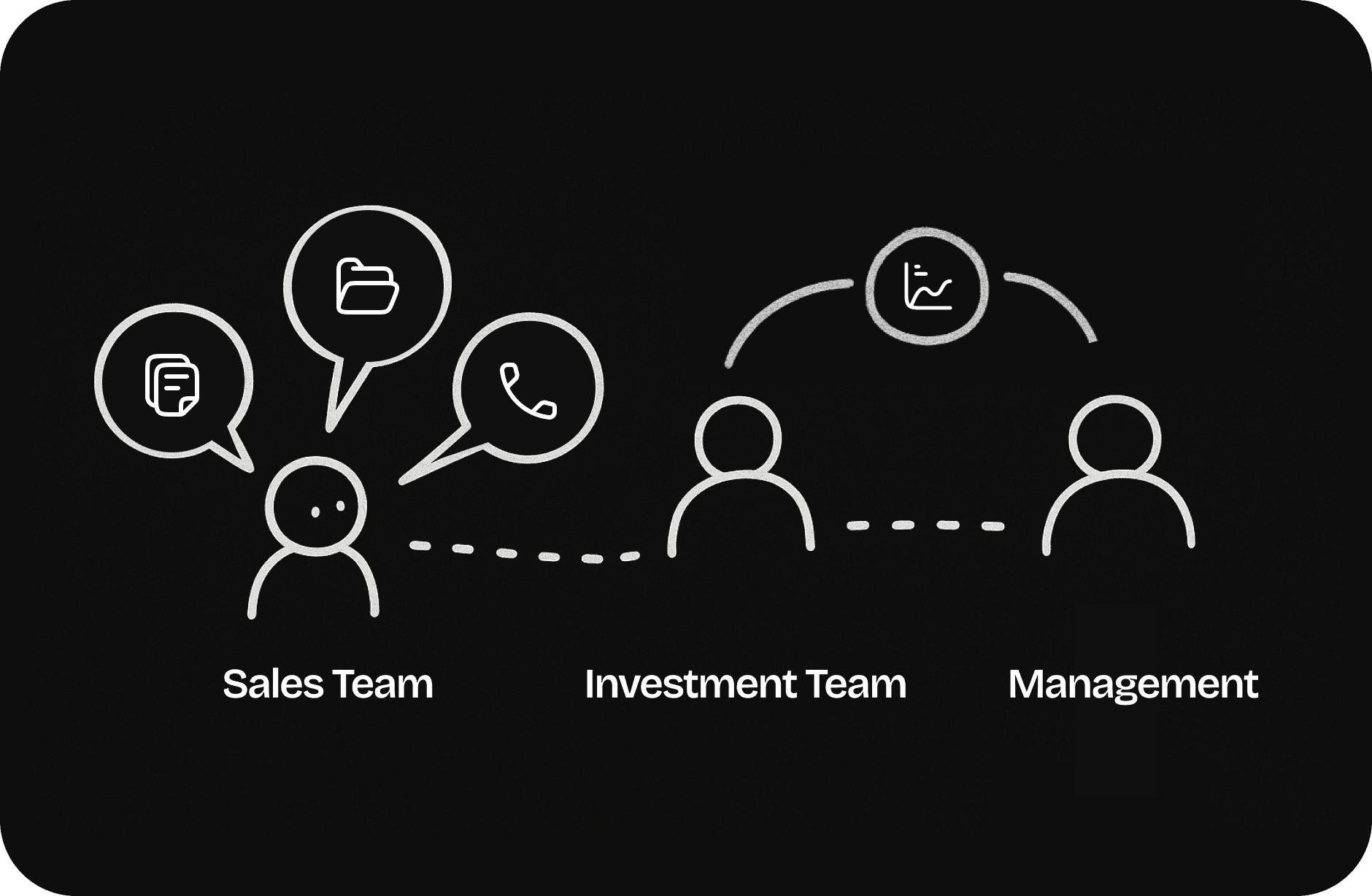
The Sales team gathers all client data and documents, which are then reviewed by the Investment team. The Investment team investigates the details and prepares a report, which is submitted for management approval.
Insight 2
Documents Storage.
The Sales team primarily used Google Sheets to store client data and Google Drive to upload documents and images. The Investment team then maintained their own sheets for analysis and created separate storage based

Insight 3
Deal Creation
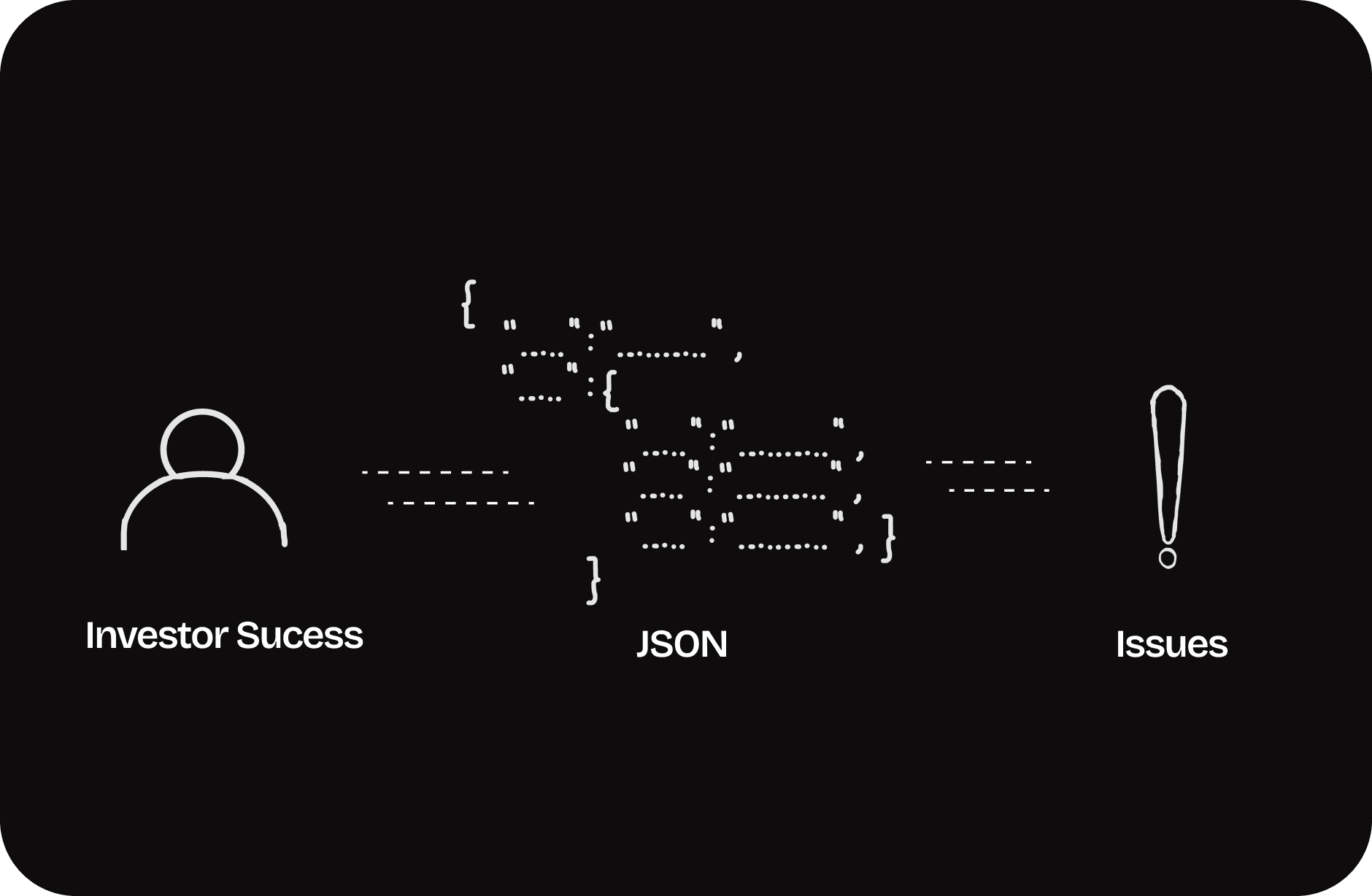
Deals were created using JSON, its slow and has chances of errors making and may times require someone from product team to assist . Even small mistakes required taking down and recreate deals, wasting significant time.
Insight 4
Deal Management
There was no way to edit a live deal. Any change required taking it down and recreating it from scratch. If an investor had already invested, their money was refunded within 2–3 days creating poor user experience.

Issues with this Process
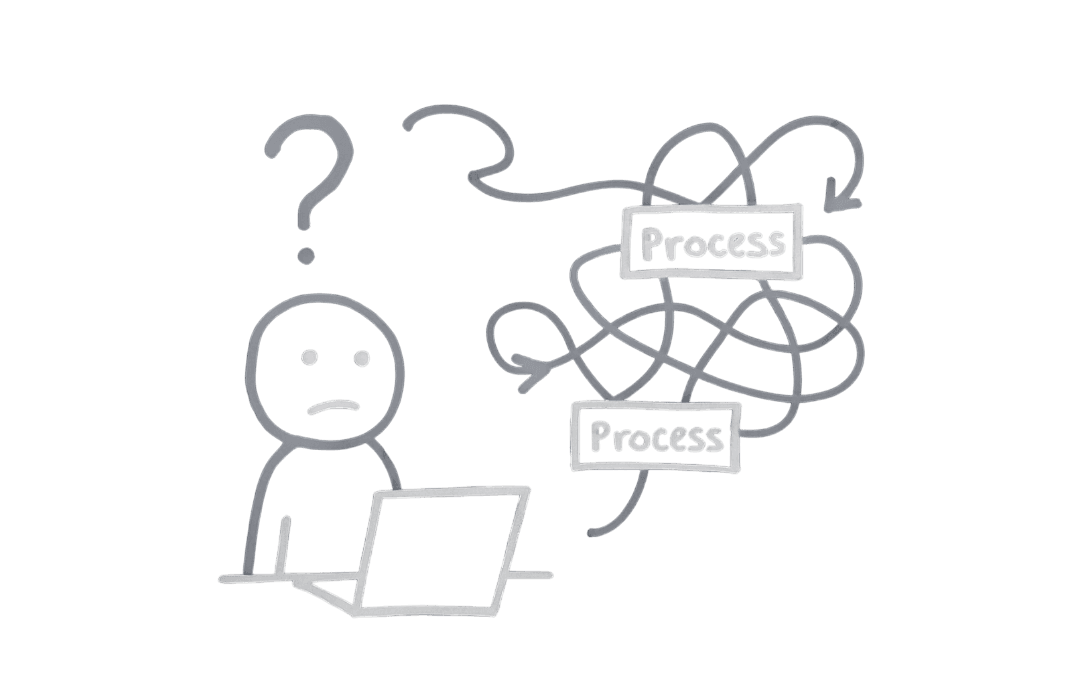
The old process was slow and confusing. Onboarding took days, documents weren’t secure, small mistakes caused delays, and teams relied too much on product and engineering. It worked for few clients but had issues as numbers grew.


Goals &
Success Criteria
Defining the success criteria was crucial for this project since this was a complex and taking too much effort for product and engineering time and but if built correctly this can reduce the significant amount of load from the end users.
Turnaround time
Client creation from 3 hrs to 30 mins, and deal creation from half a day to 30 mins.
Adoption Rate
100% of adoption of the application by our internal team.
Transparency
Ensuring transparent actions with zero product errors (human not included 😂).
If you think good design is expensive, you should look at the cost of bad design.
– Ralf Speth

Solution
To manage scale, complexity, and compliance, the Roots dashboard was designed as a modular system split into two primary modules:
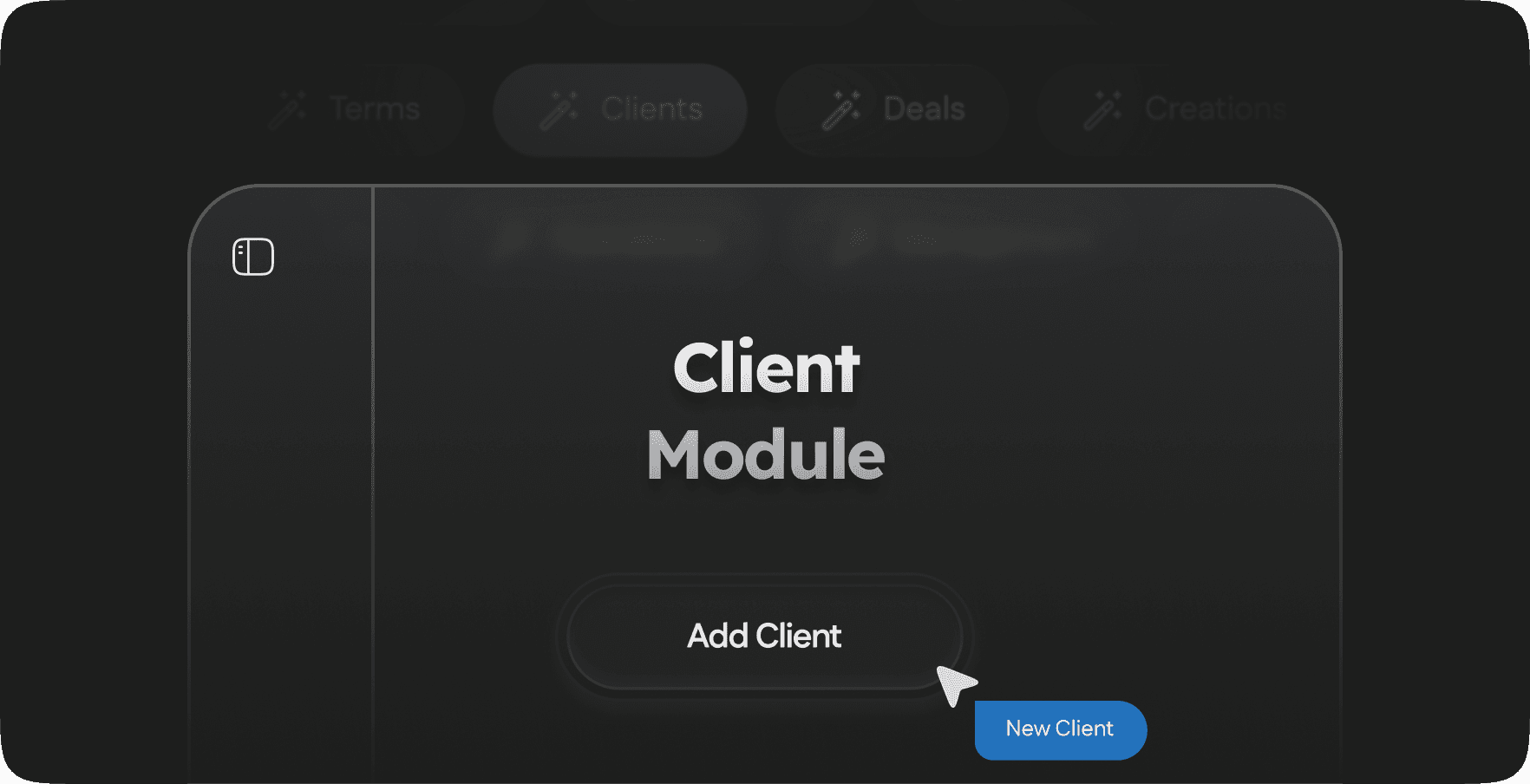
Module 1
Client Module
The Client Module is where Investment Analysts handle all client-related operations. They can add new clients, manage existing profiles, upload or update inventories, define terms, and maintain all supporting data. This module centralizes everything needed to prepare a client for deal creation and ongoing management.
Flow #1
Add Client
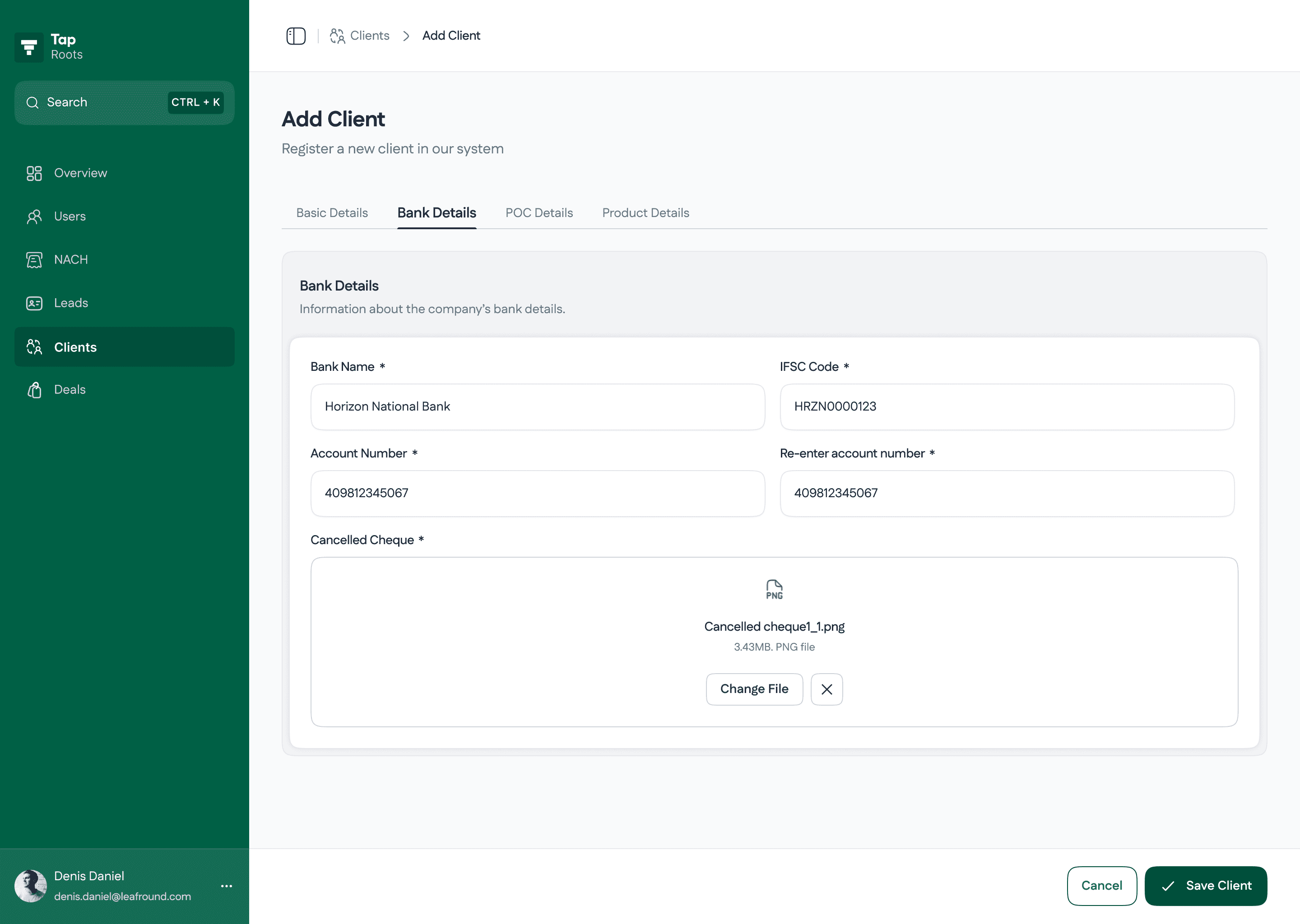
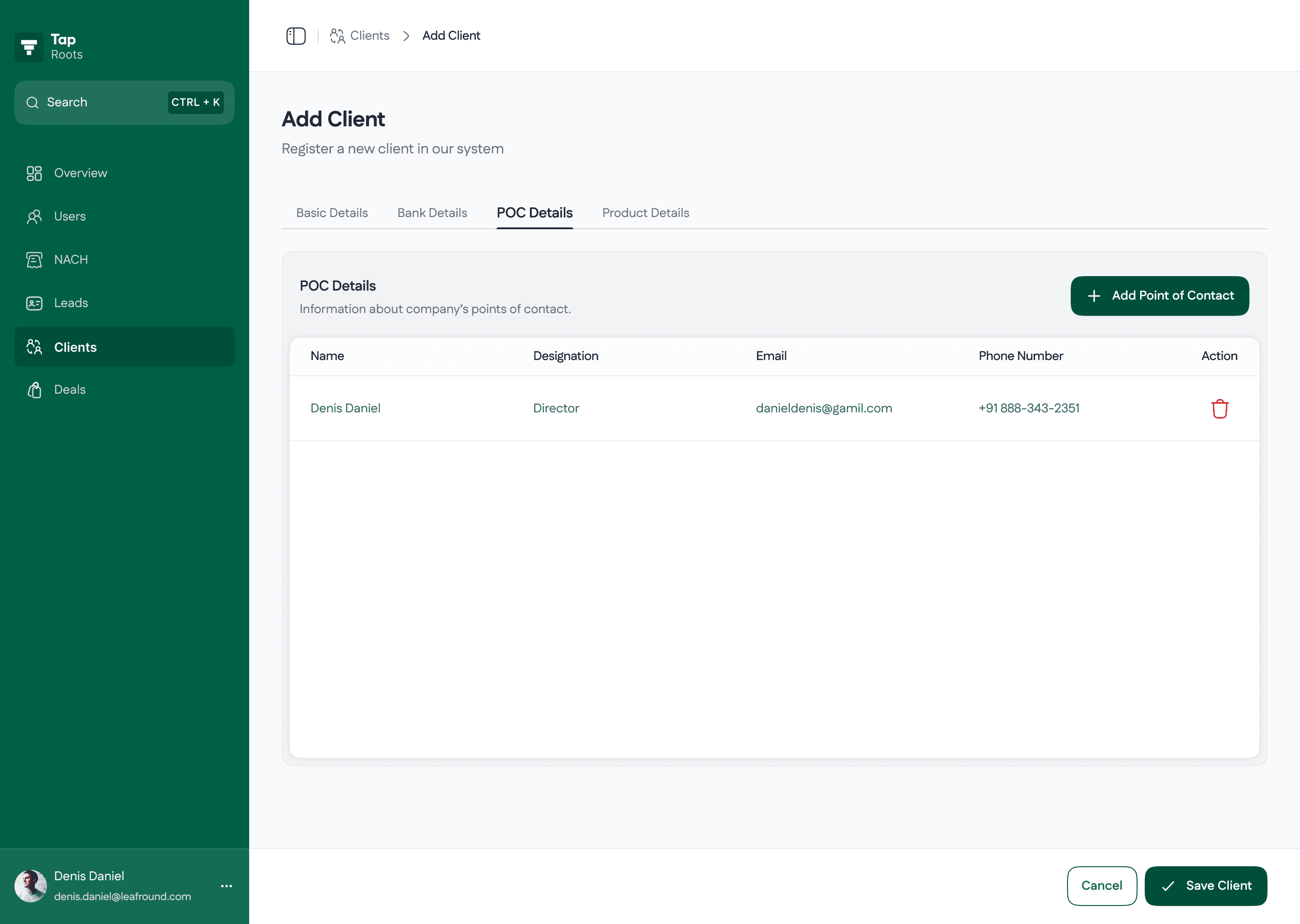
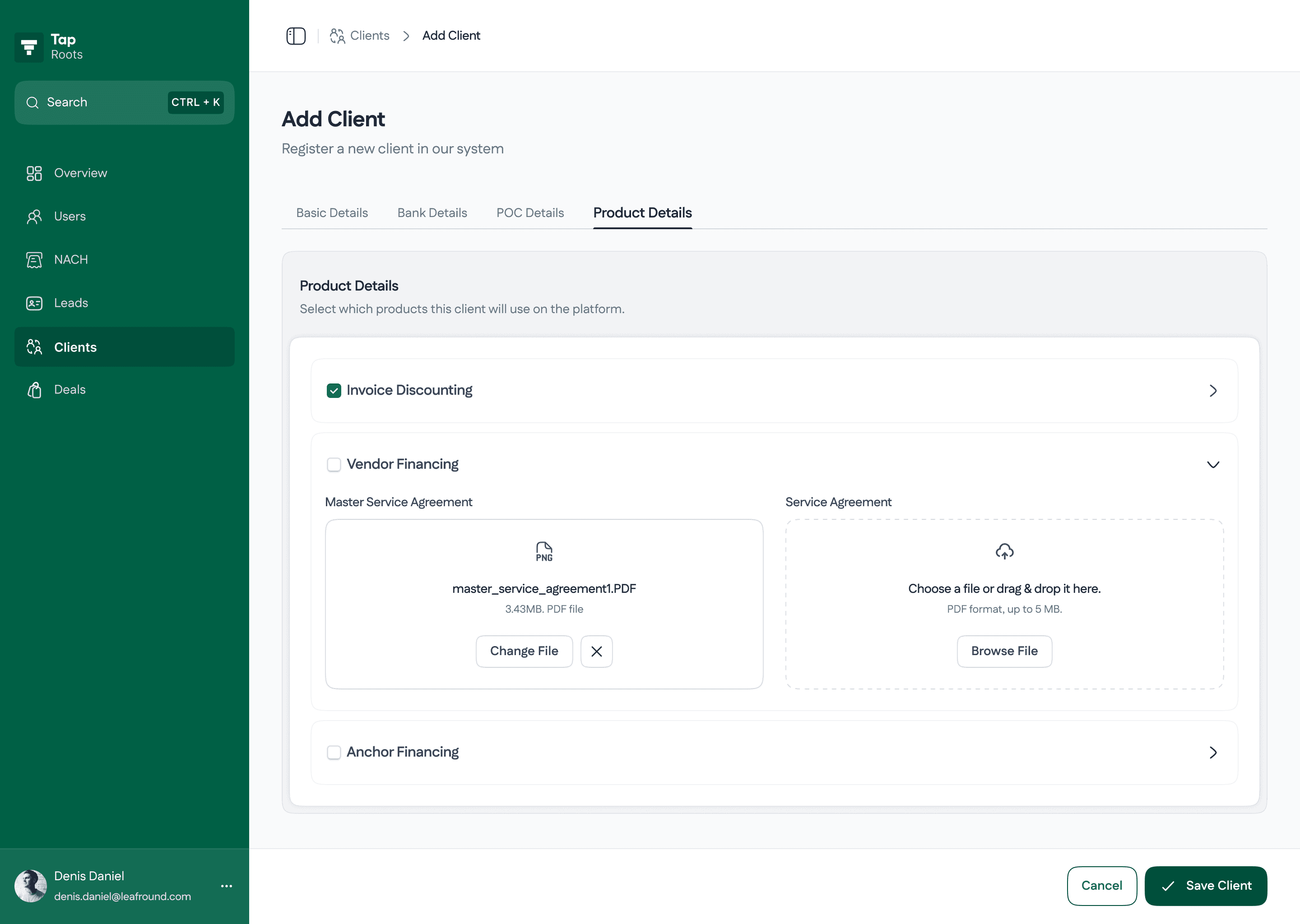
In the earlier iteration, the Add Client flow required uploading all client information and documents in one go, which was impractical since Investment Analysts often didn’t have everything ready at once. This forced complete data entry upfront, causing delays and blocking client creation. To solve this, we redesigned the module to allow creating a client record with partial information and progressively adding documents later, making the workflow more flexible and aligned with real-world operations.
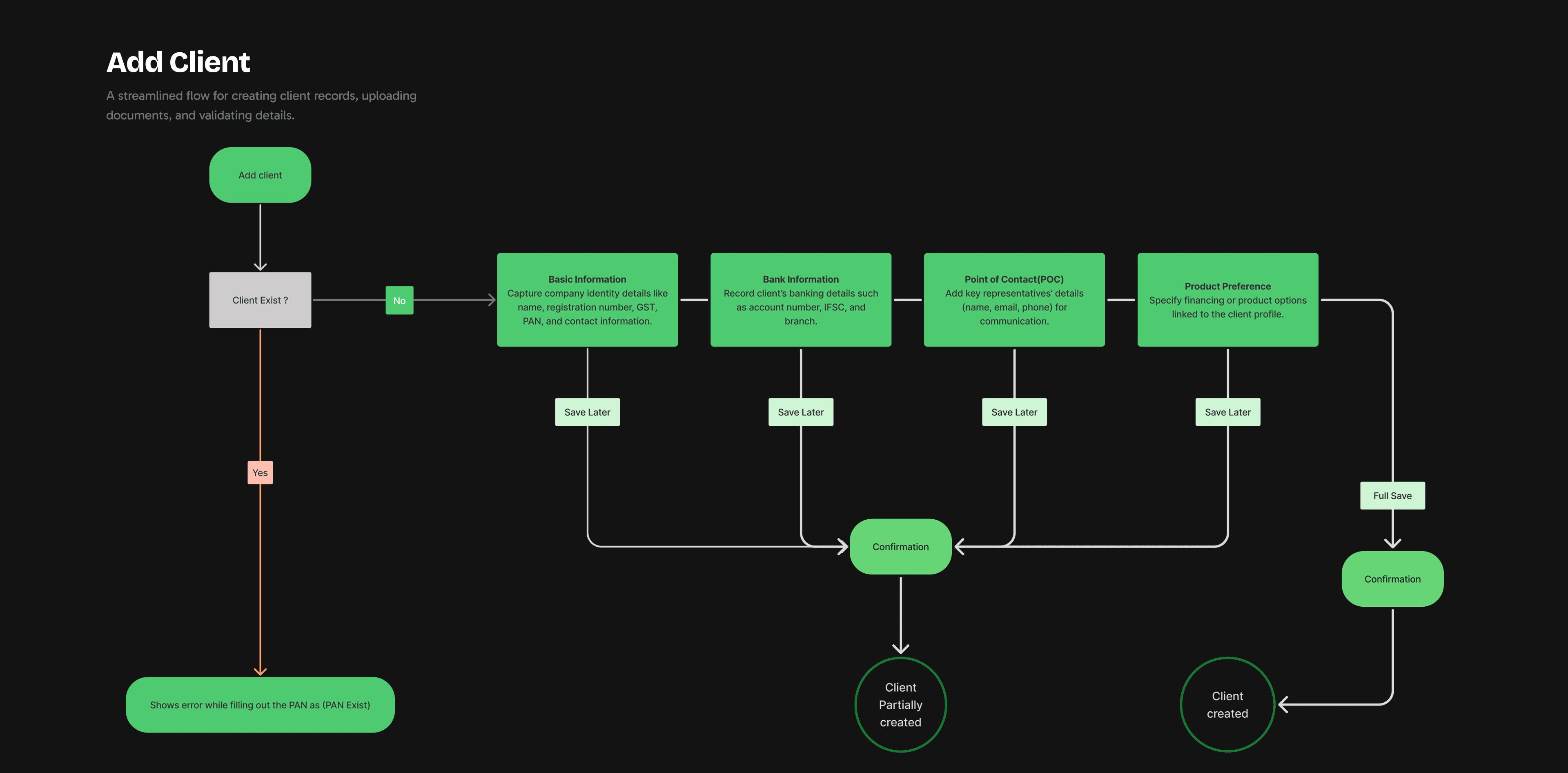
Visual representation of flow we were using to add client
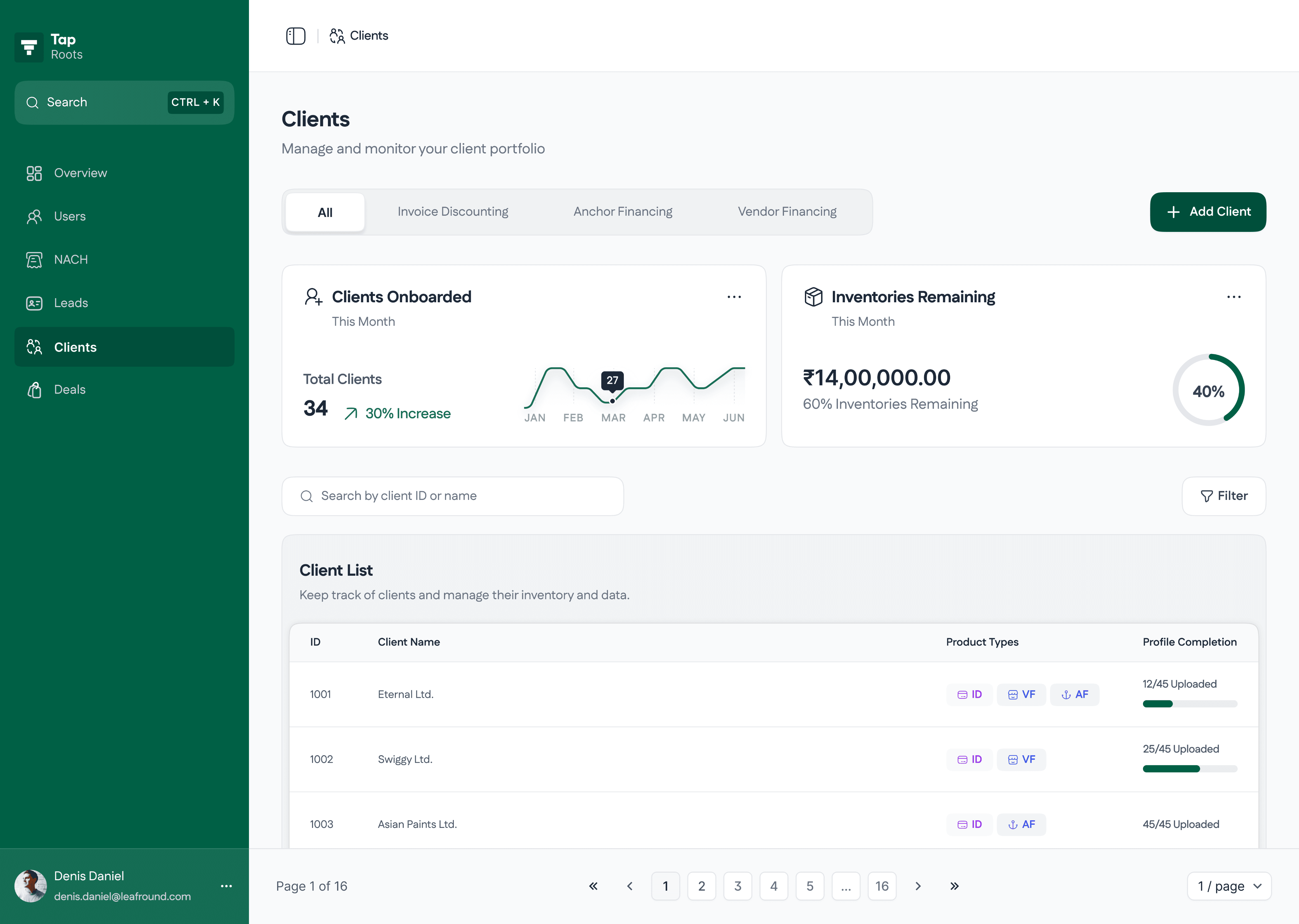
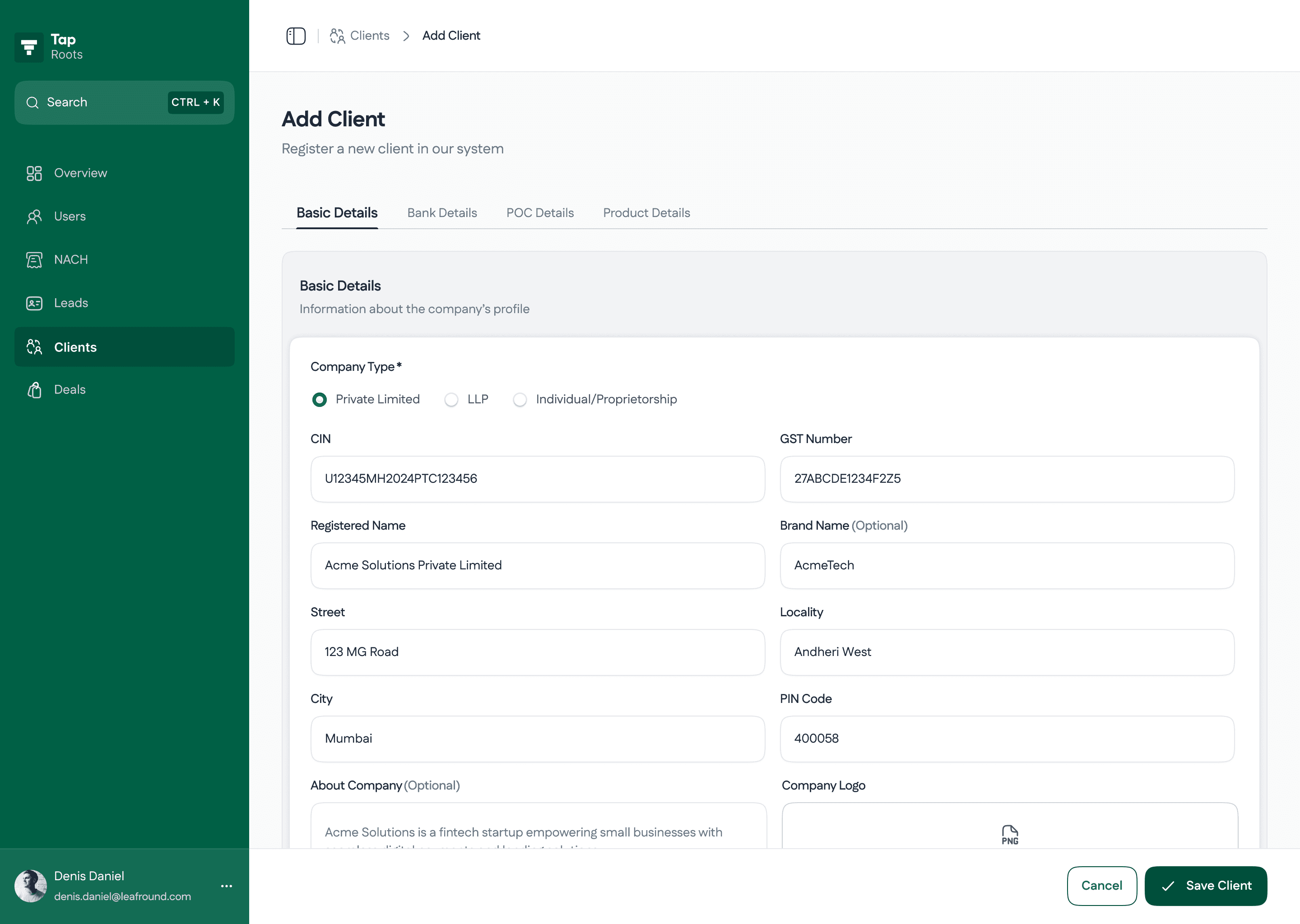
Flow #2
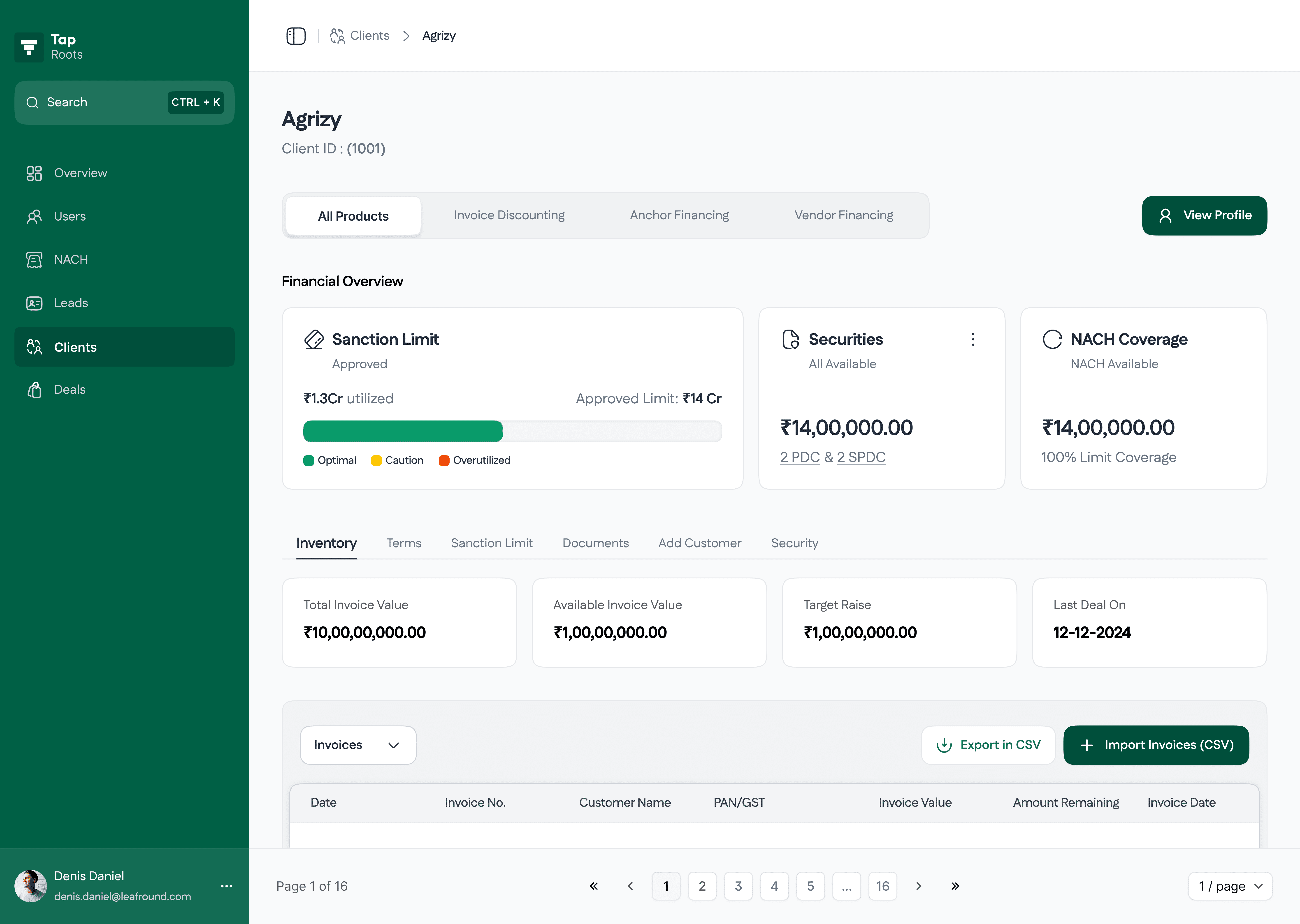
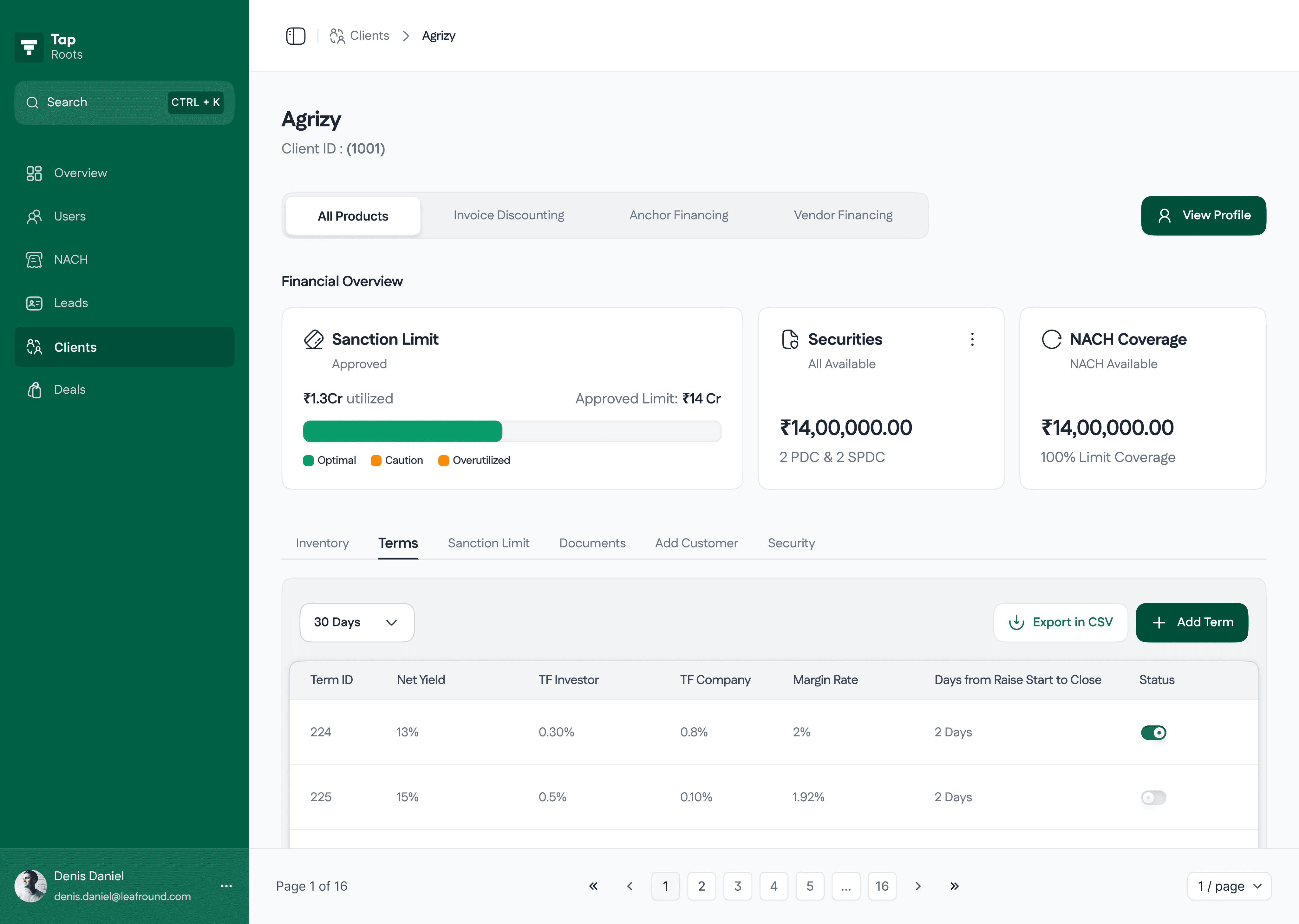
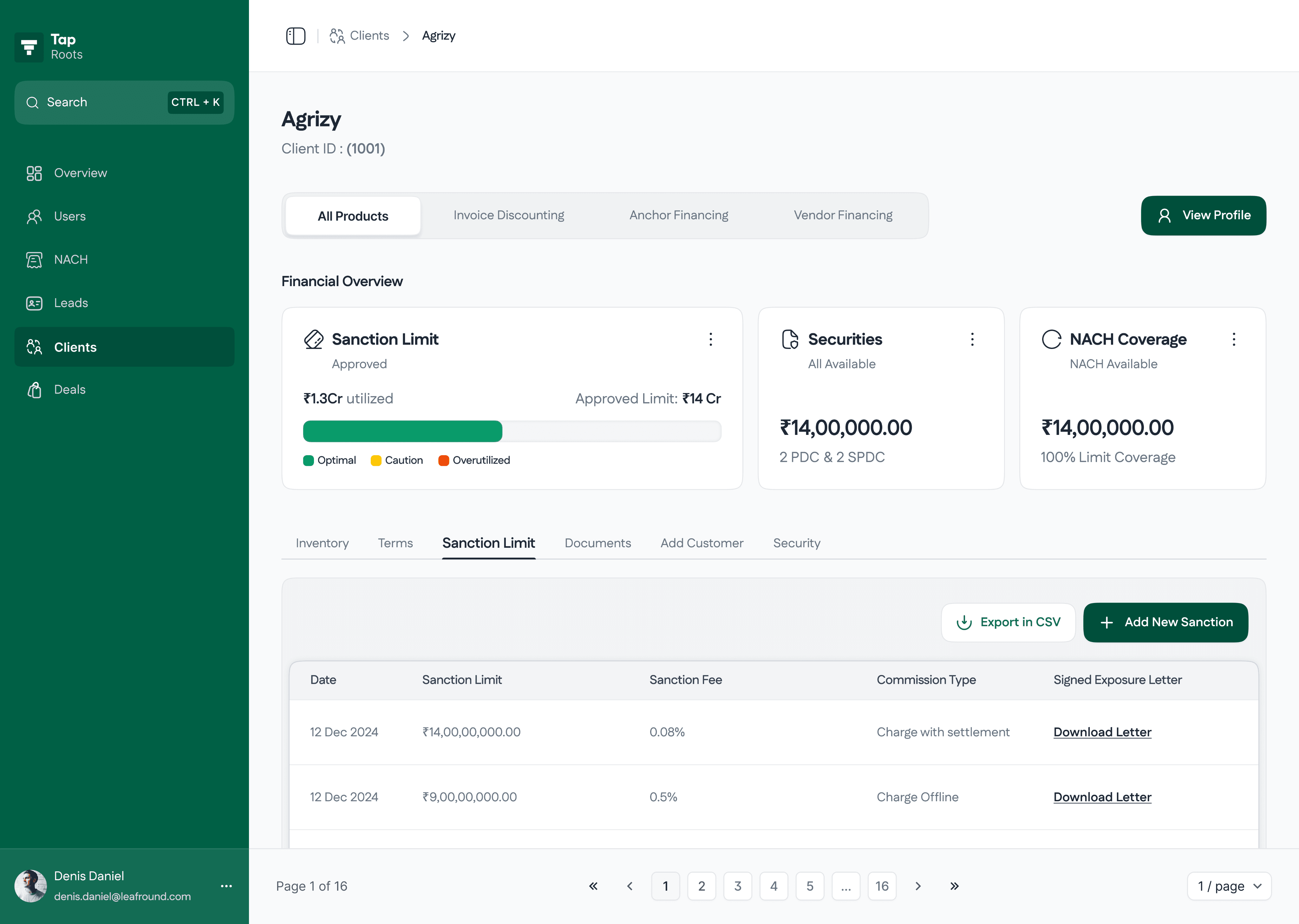
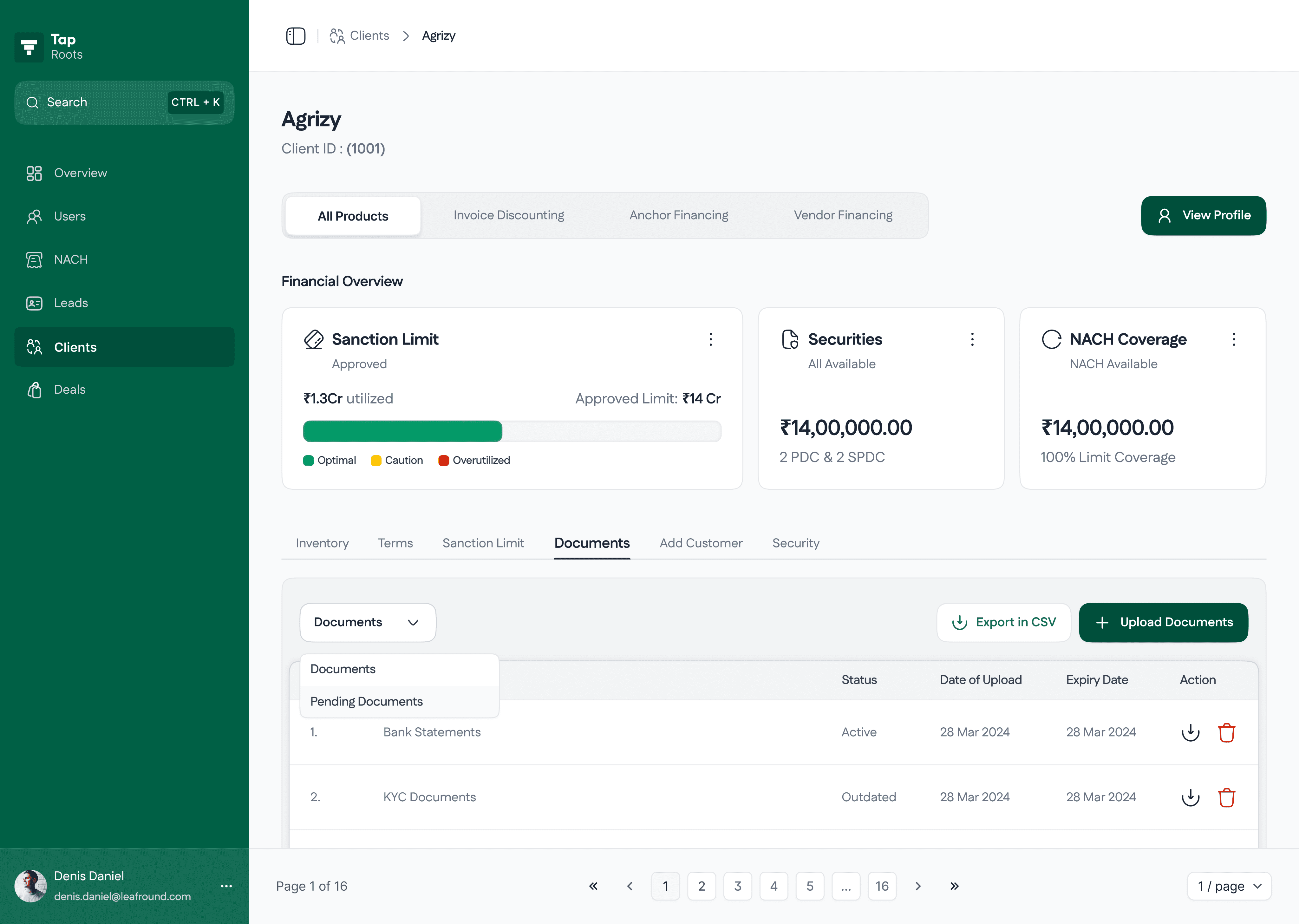
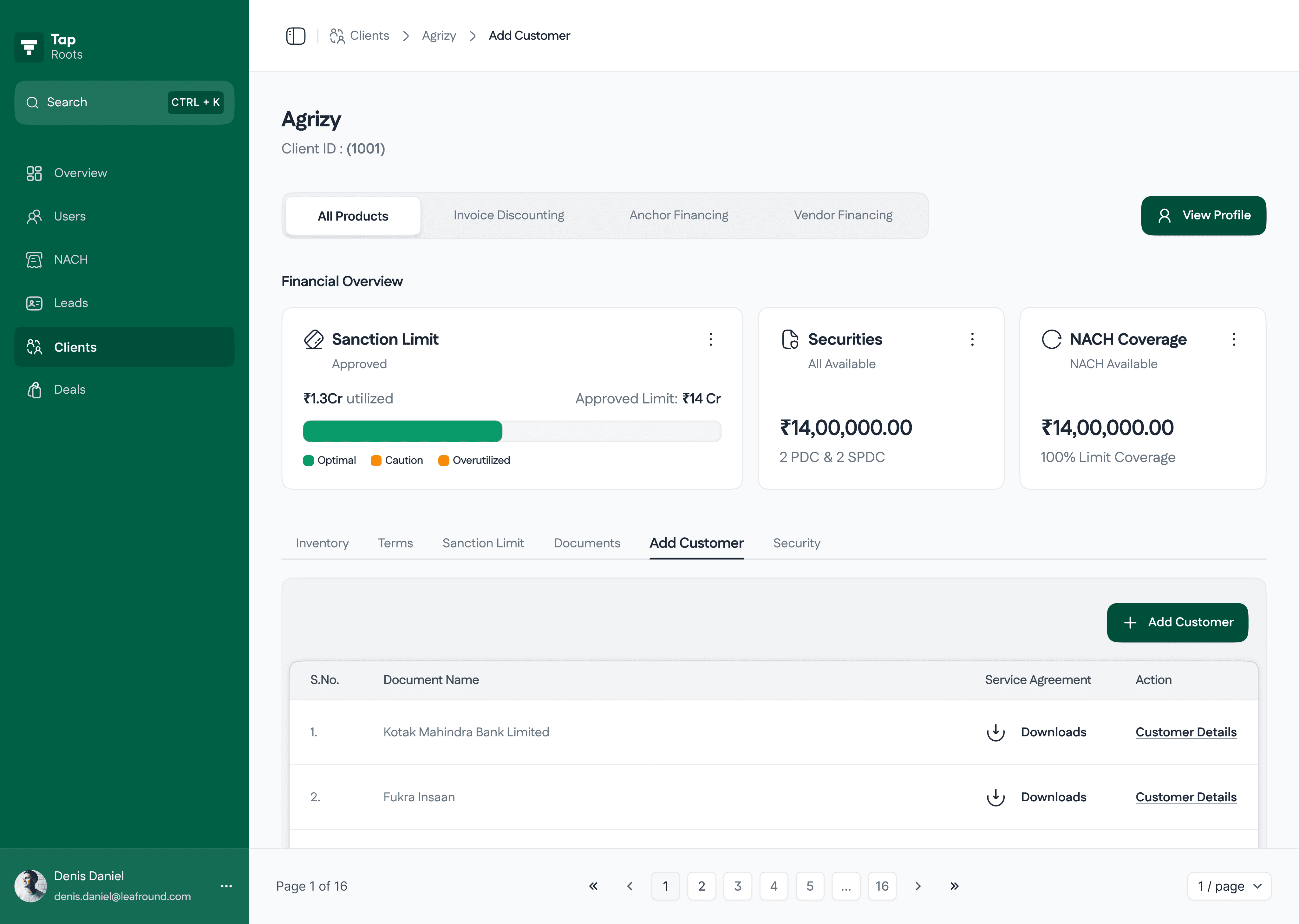
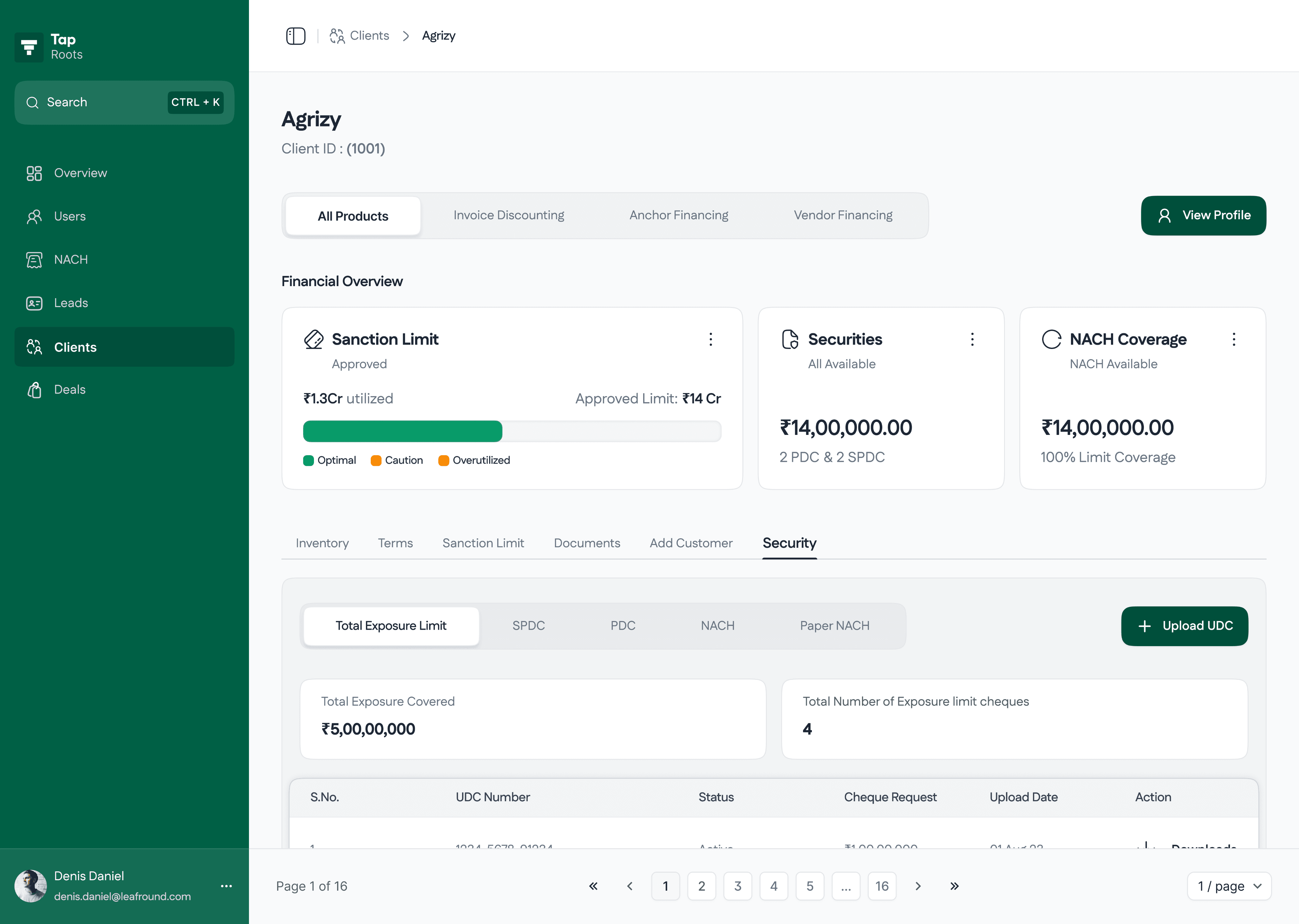
Client Information
This is the page where all the information will go for the client, weather its data or documents, all goes here. Few things which are needed to added by the investment team are the sanction limit and terms. Few KPI cards are been added after the iterations as suggested by the investment teams.
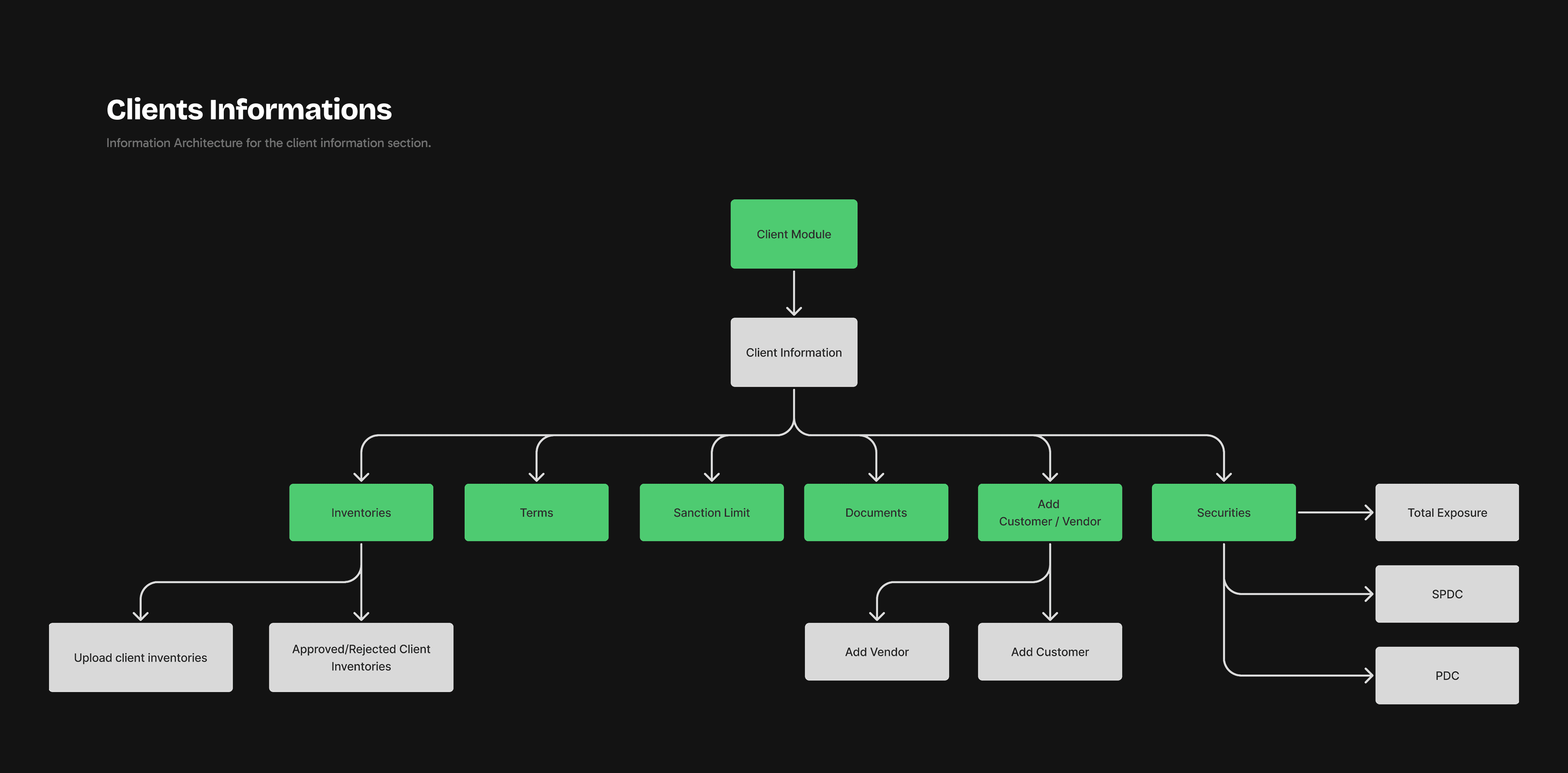
Visual representation of flow we were using to add client
Module 2
Deal Module
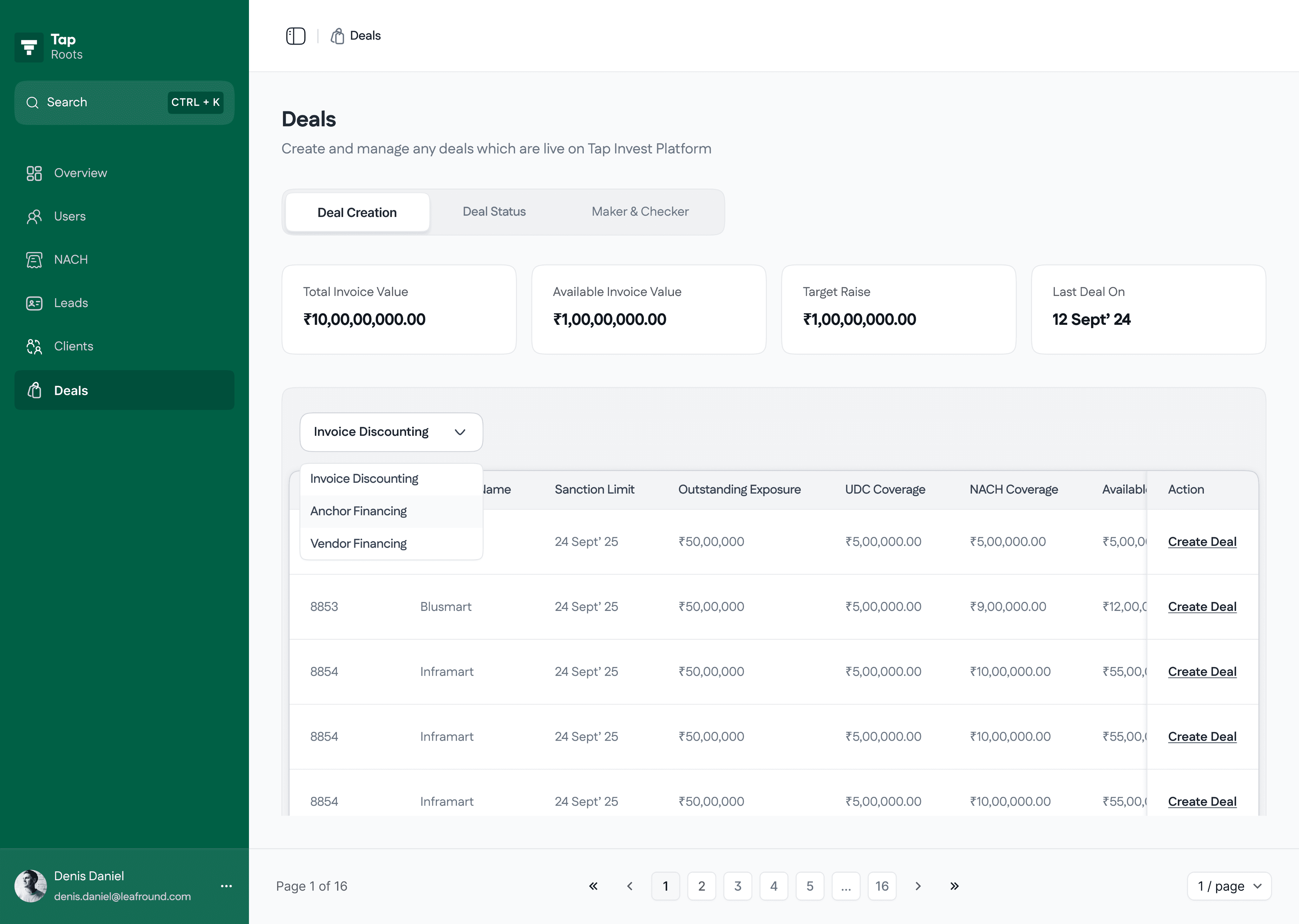
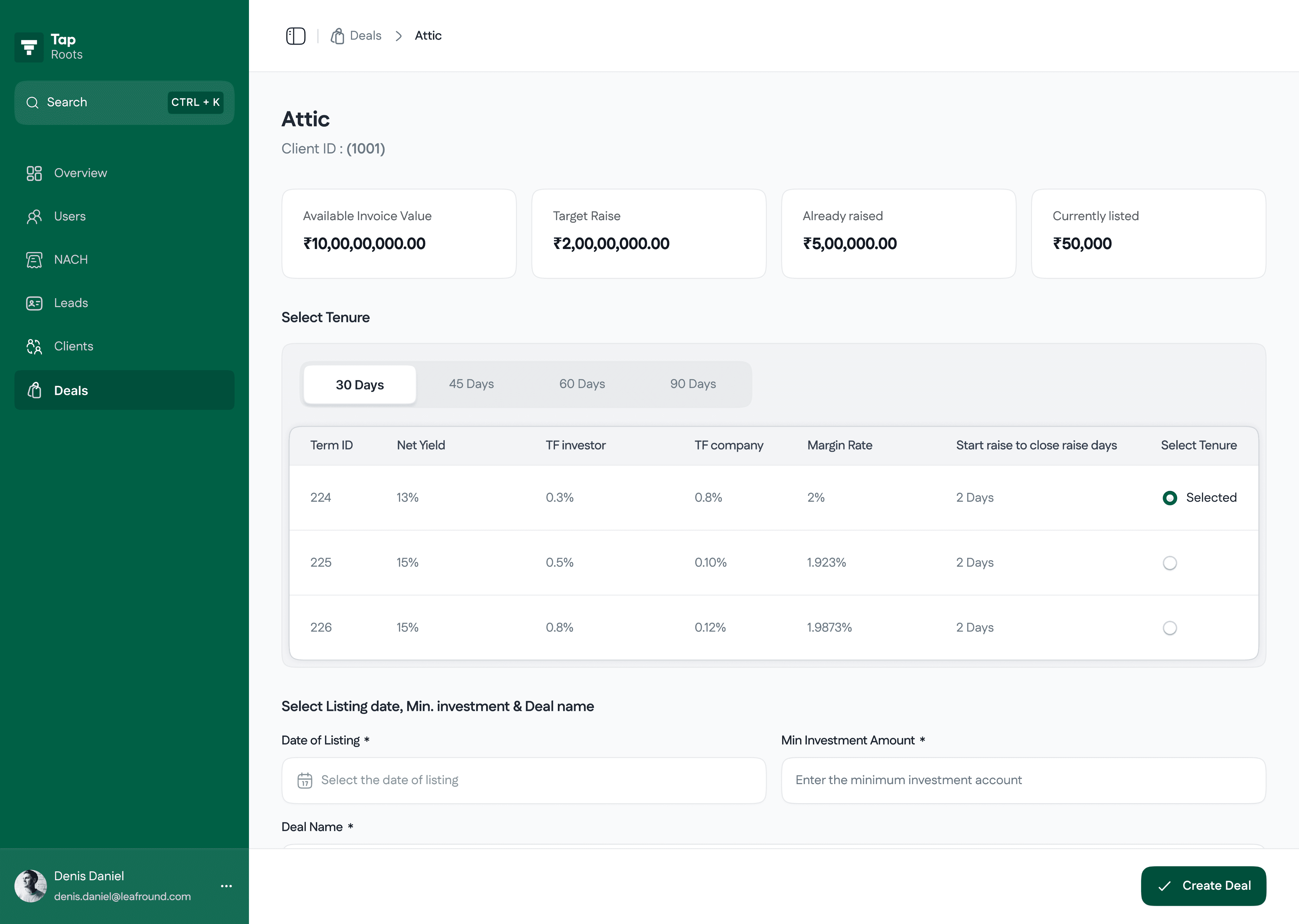
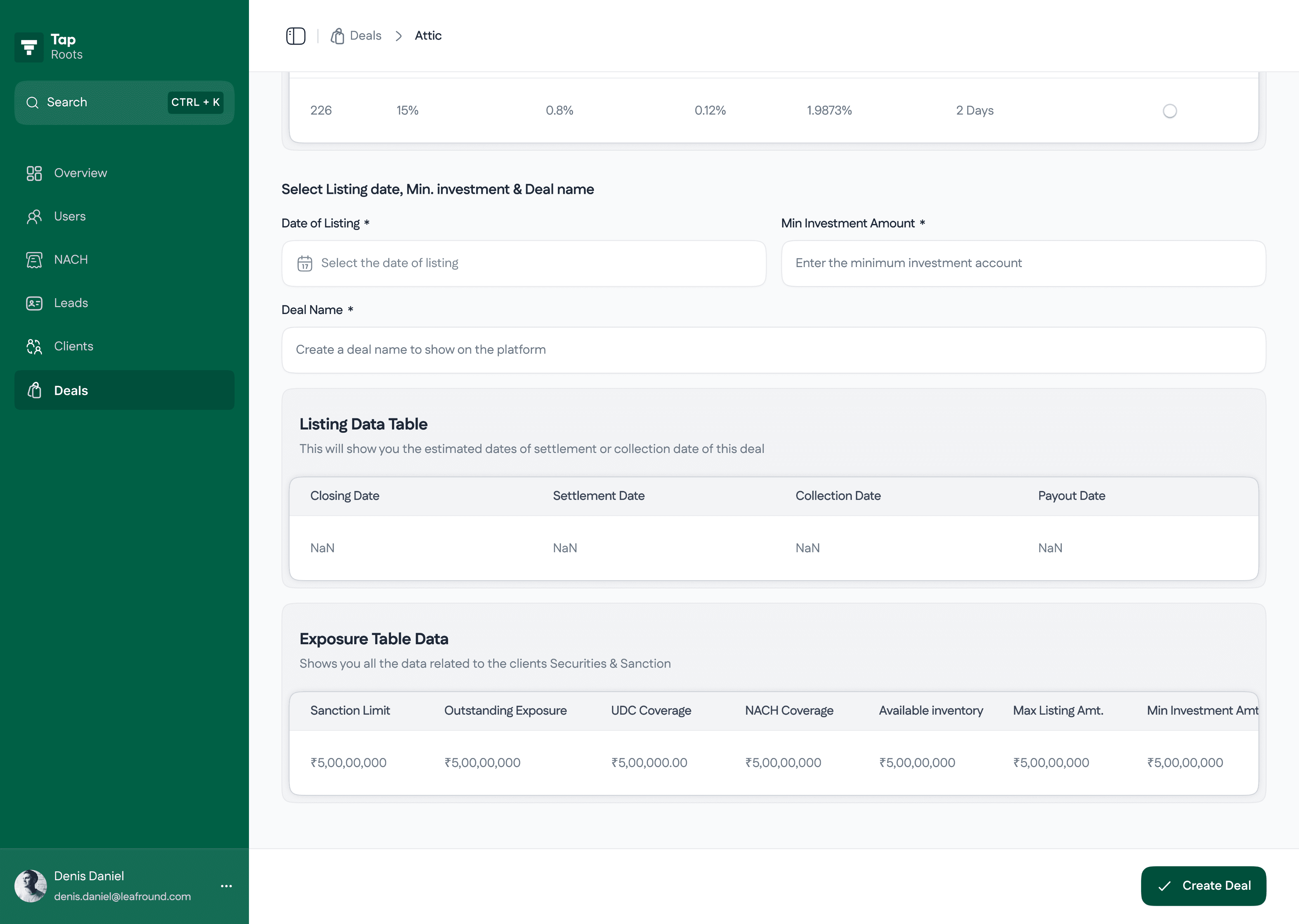
Used by Investor Success team to creates and manages deals. Using existing client data and inventories from the Client Module, they add deal value and deal duration date, and publish deals on the platform.
Flow #1
Creating a deal
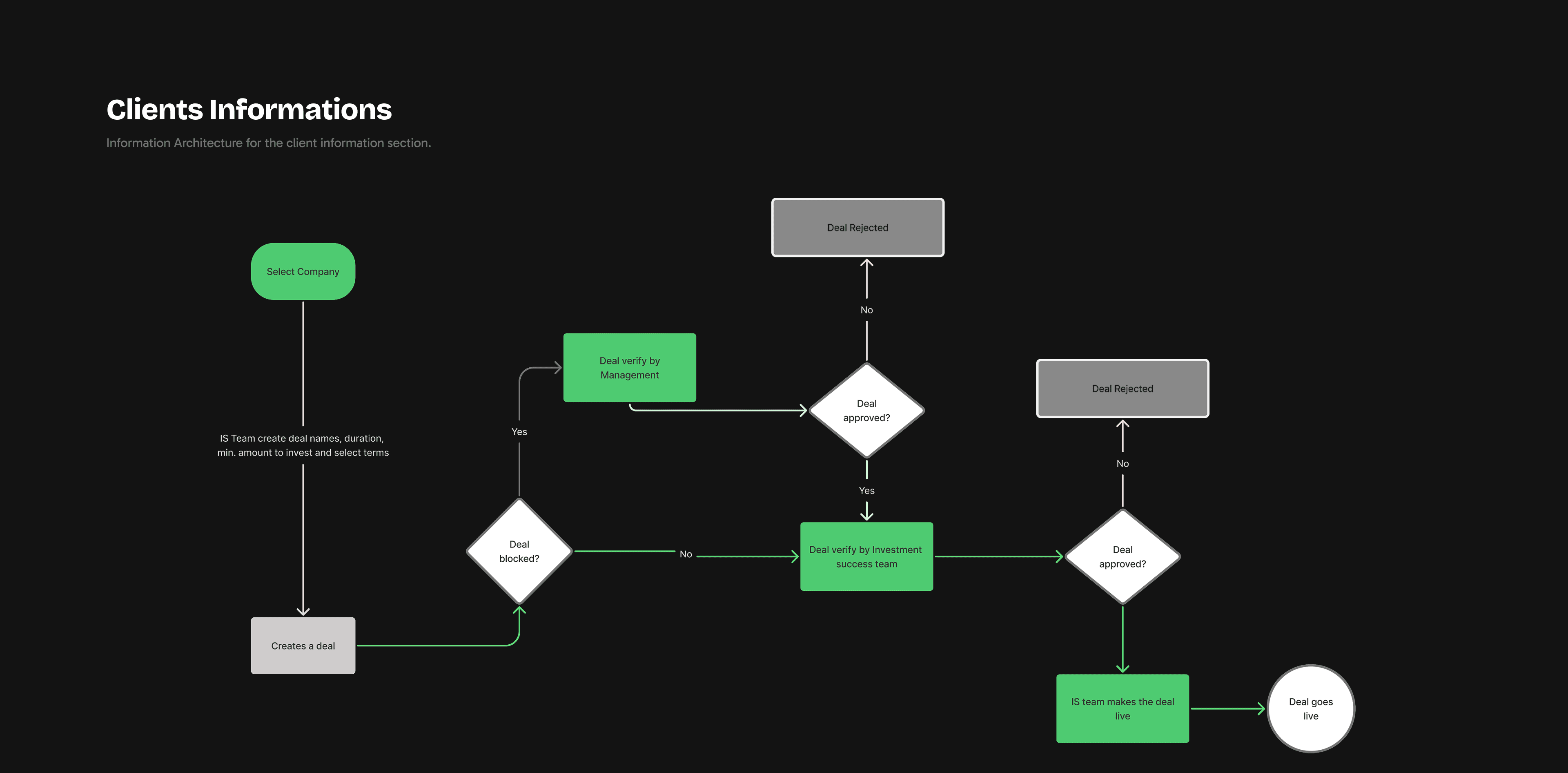
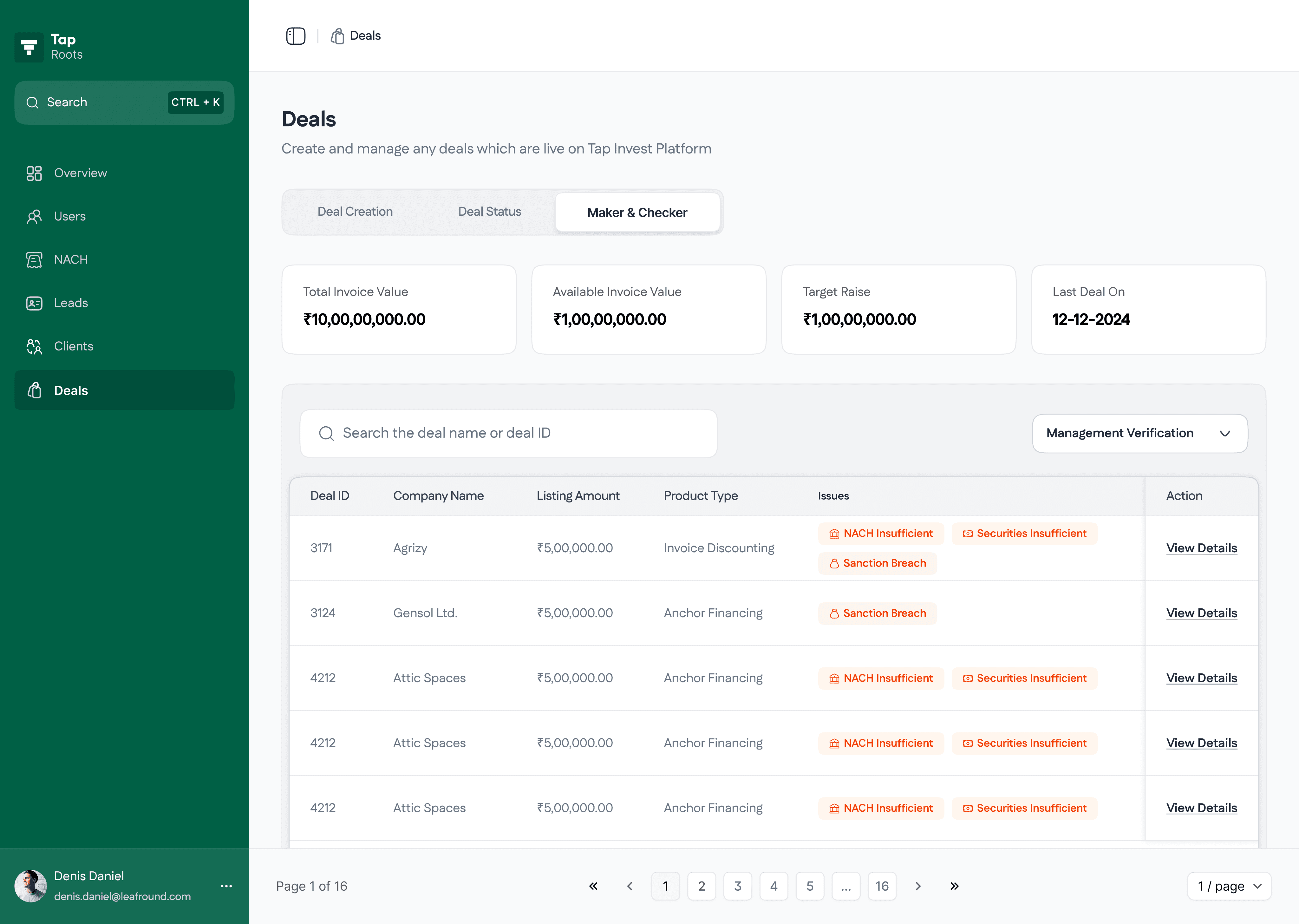
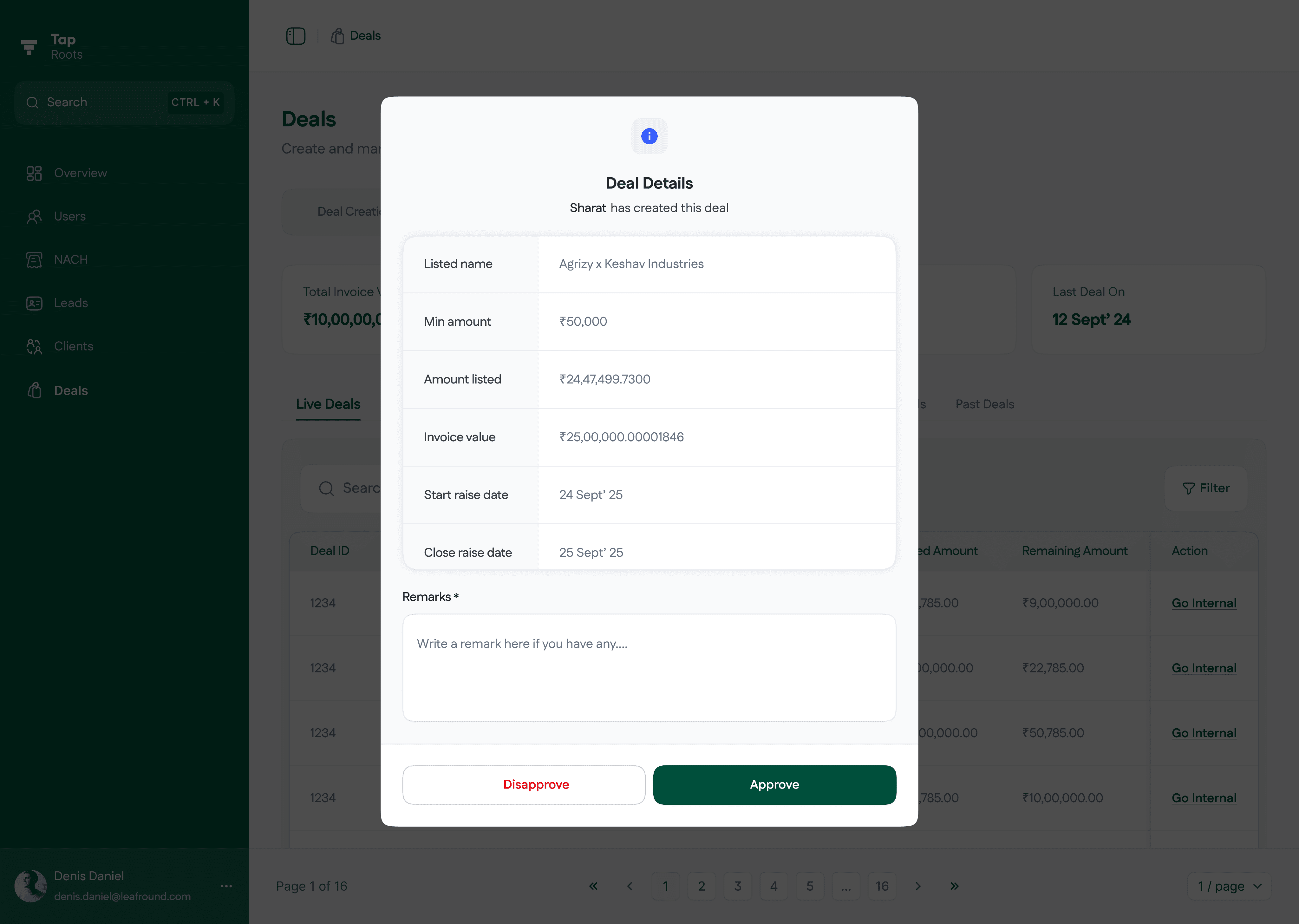
In the Deal Module, the Investor Success team creates deals by selecting a verified company and its inventories. They add the deal name, set the deal duration, and choose from predefined terms. Once the deal is created, it goes to the Investment team for verification. After approval, the Investor Success team can either make the deal live immediately or schedule it to go live at a specific time.
Visual representation of flow we were using to add client
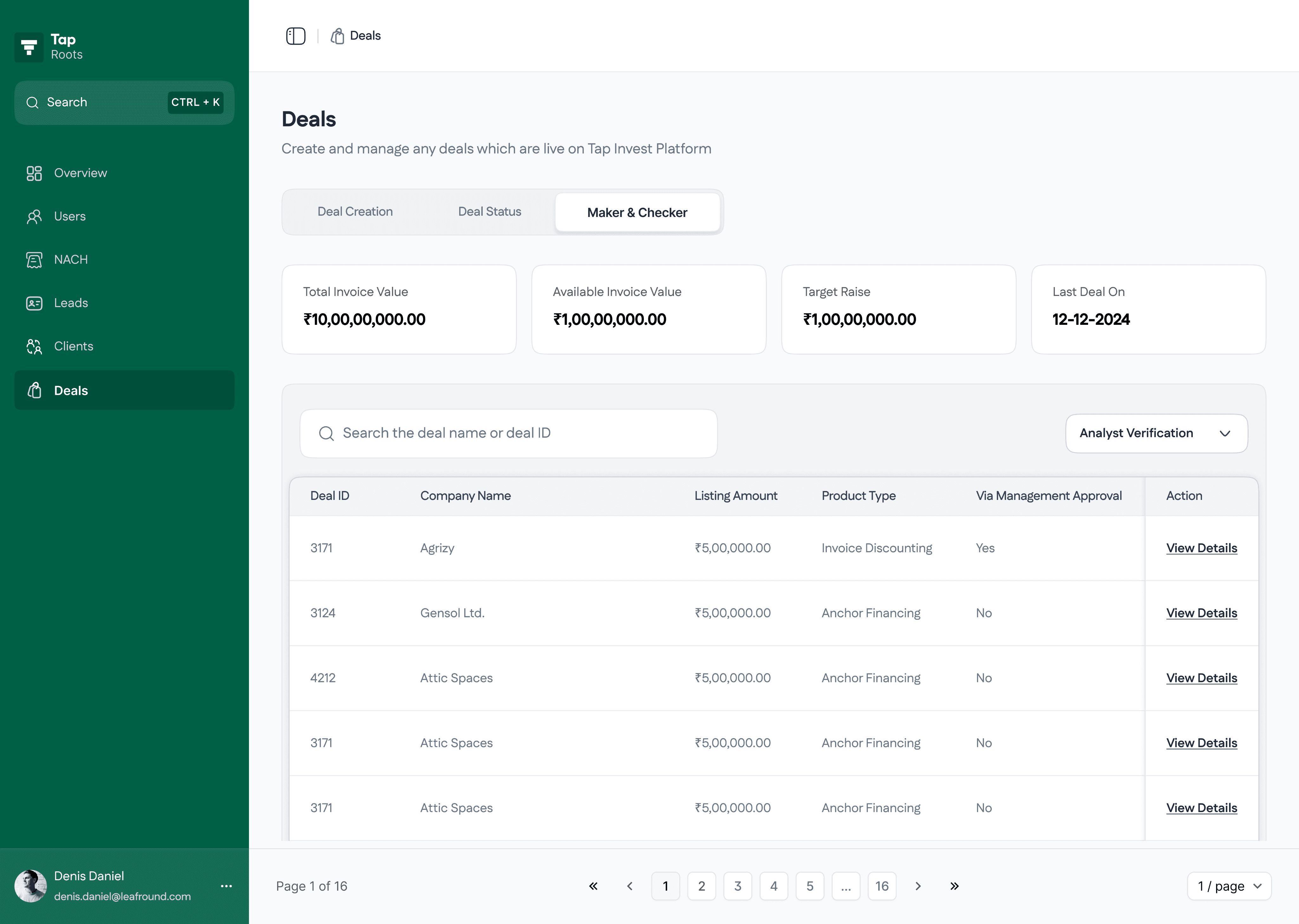
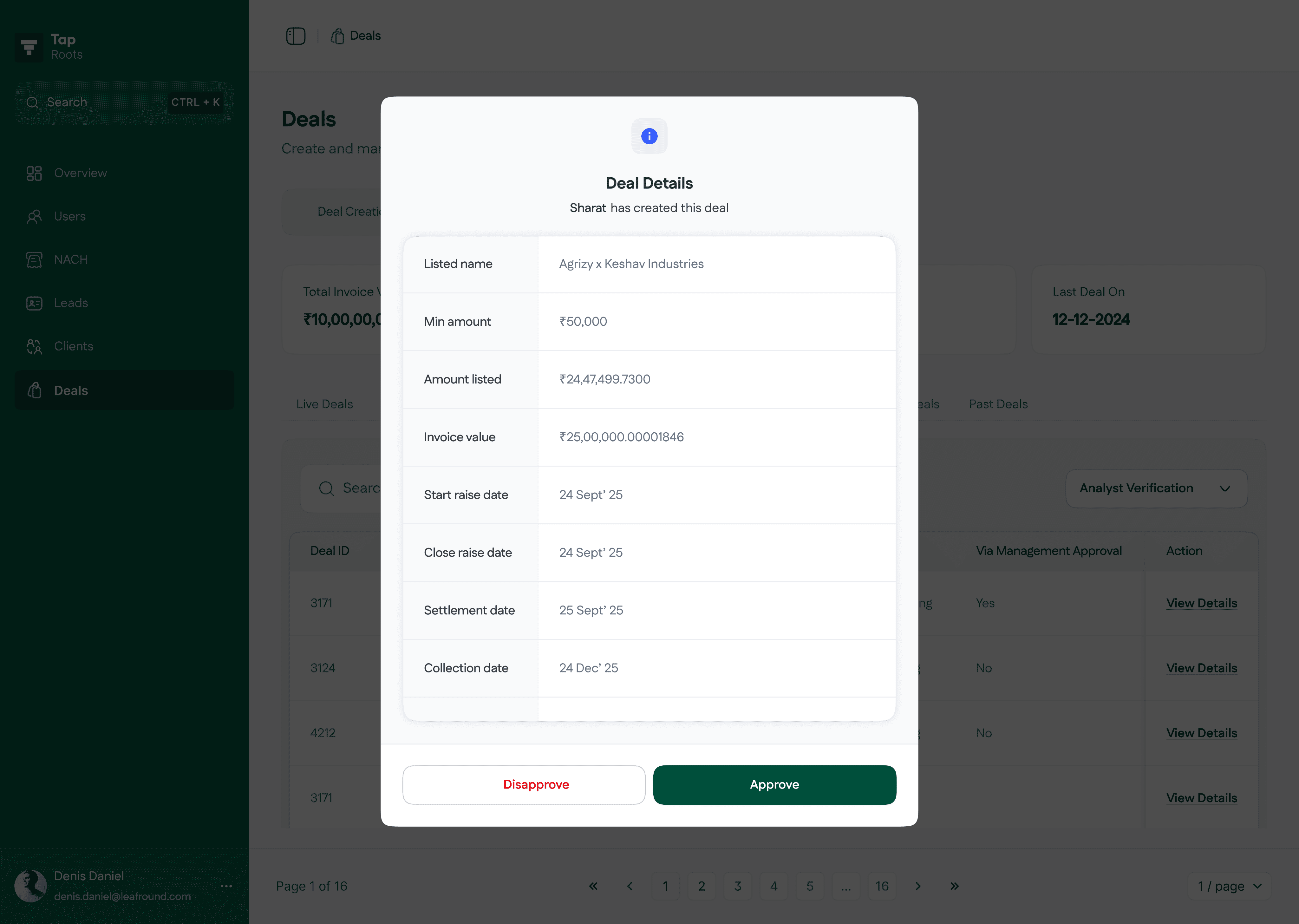
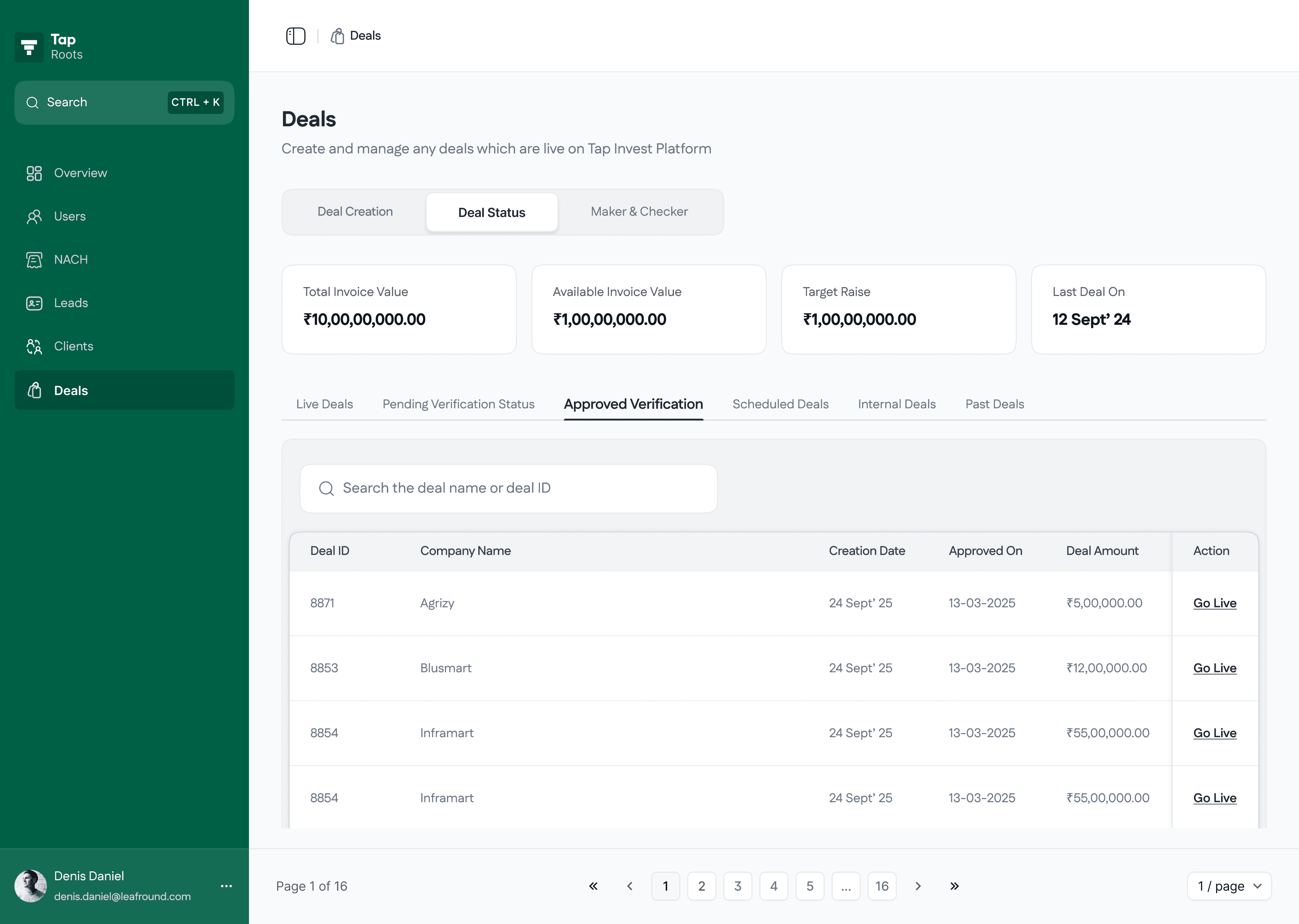
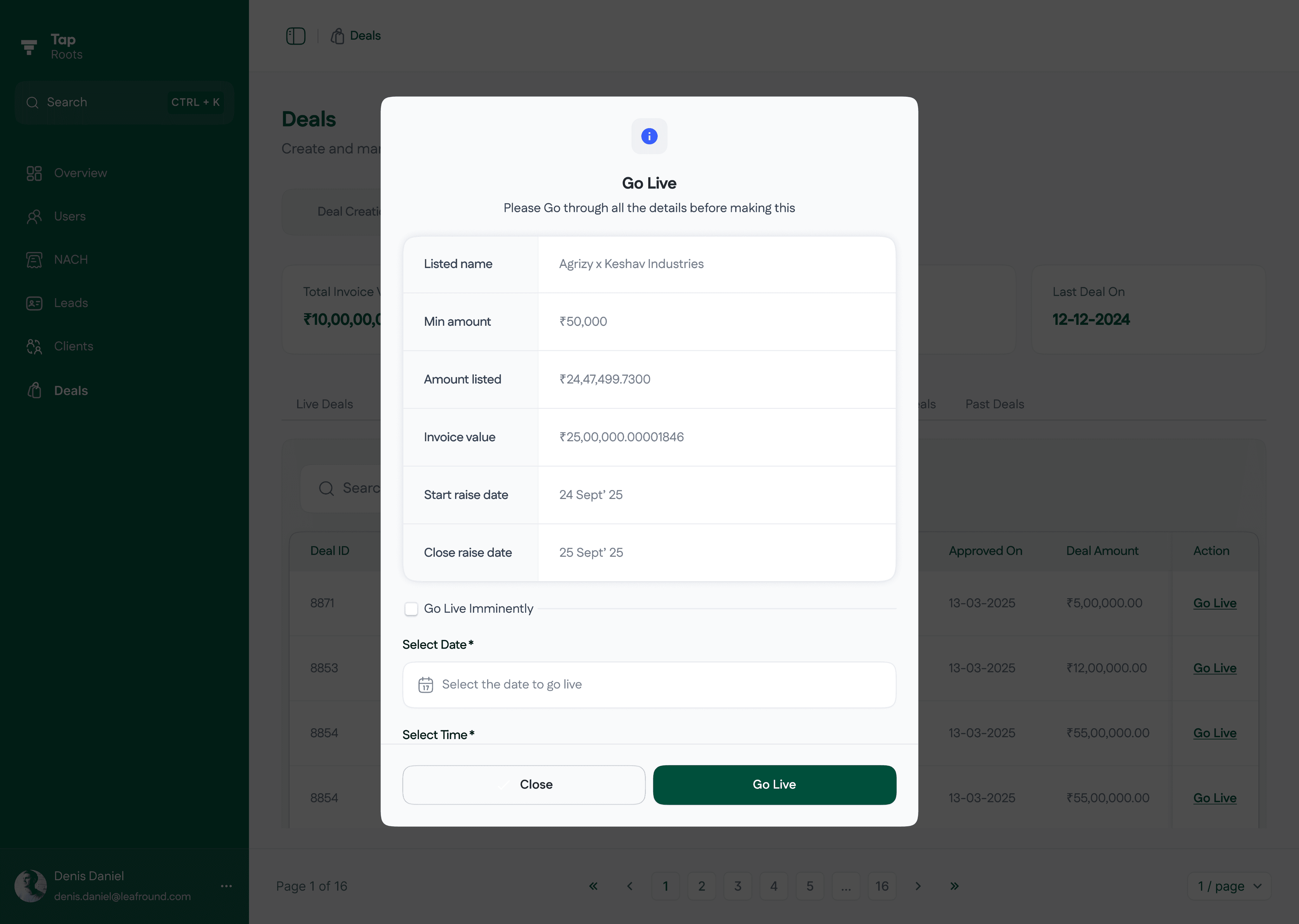
Flow #2
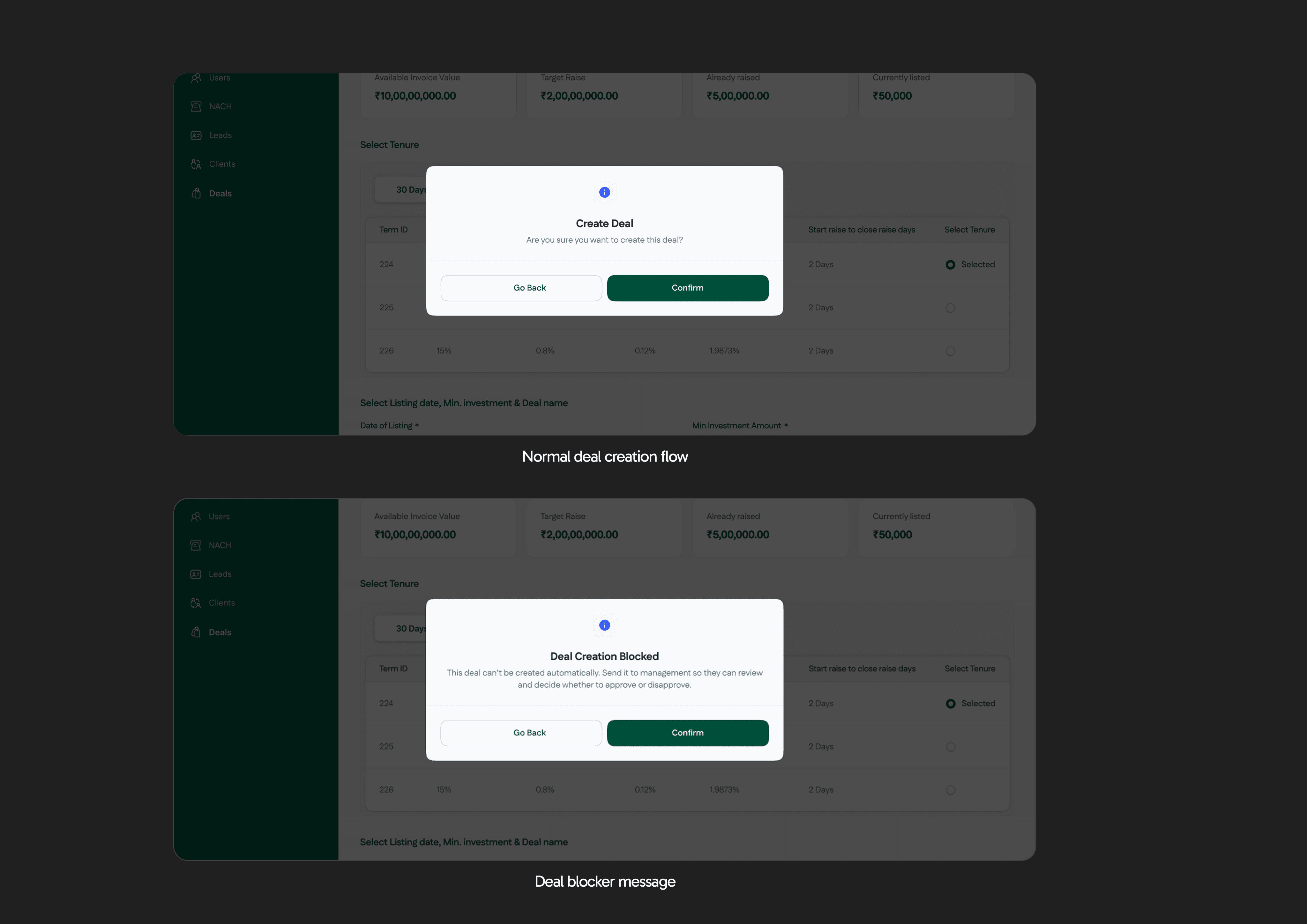
Creating a deal (but with an exception)
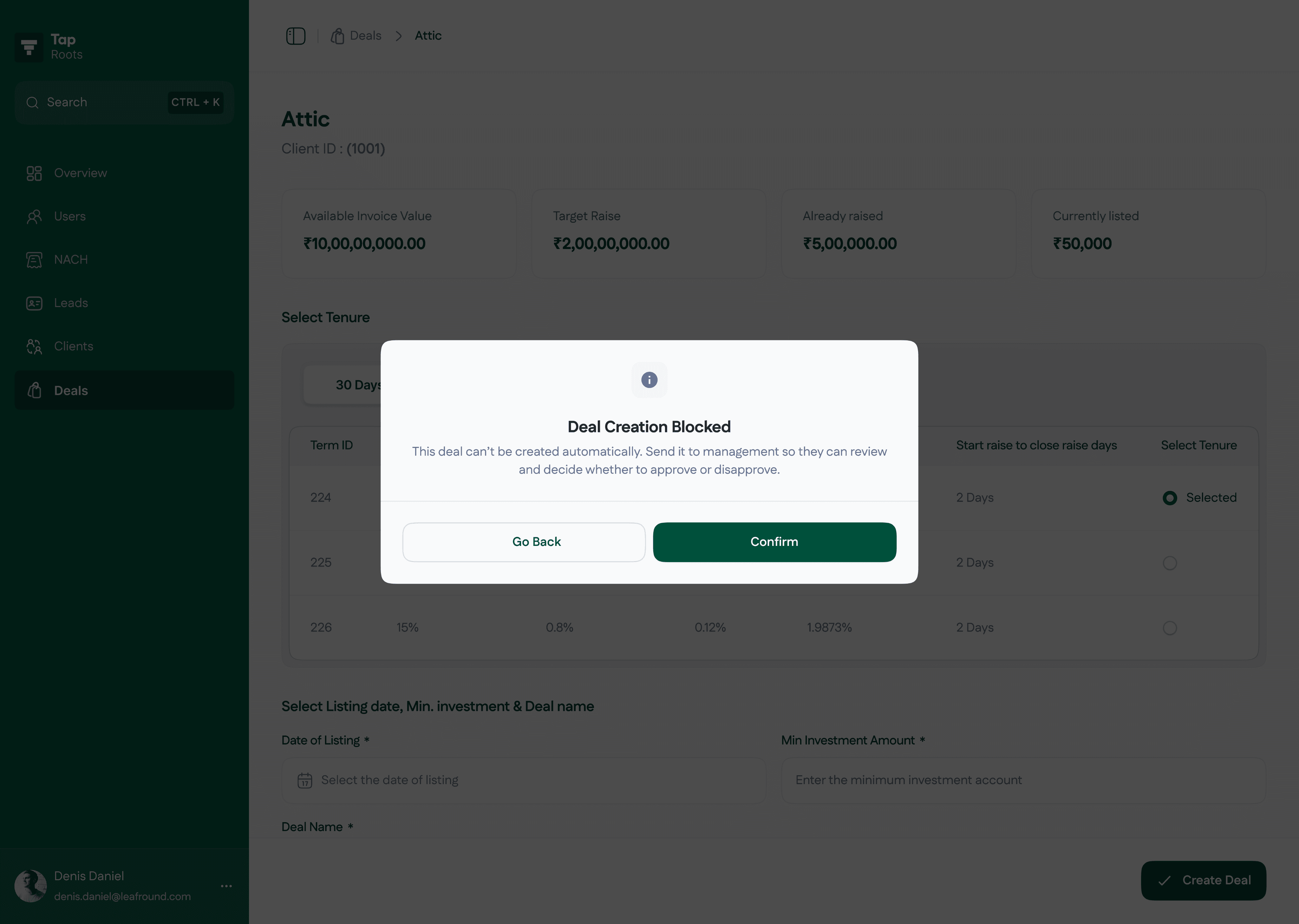
This flow works similarly to the standard one but is triggered when deal creation is blocked due to unmet conditions such as missing NACH, securities, or a reached sanction limit. In such cases, the Investor Success team has two options, either discard the deal or send it for management approval. Once management approves, the deal moves to the Investment team and continues through the regular deal creation process.
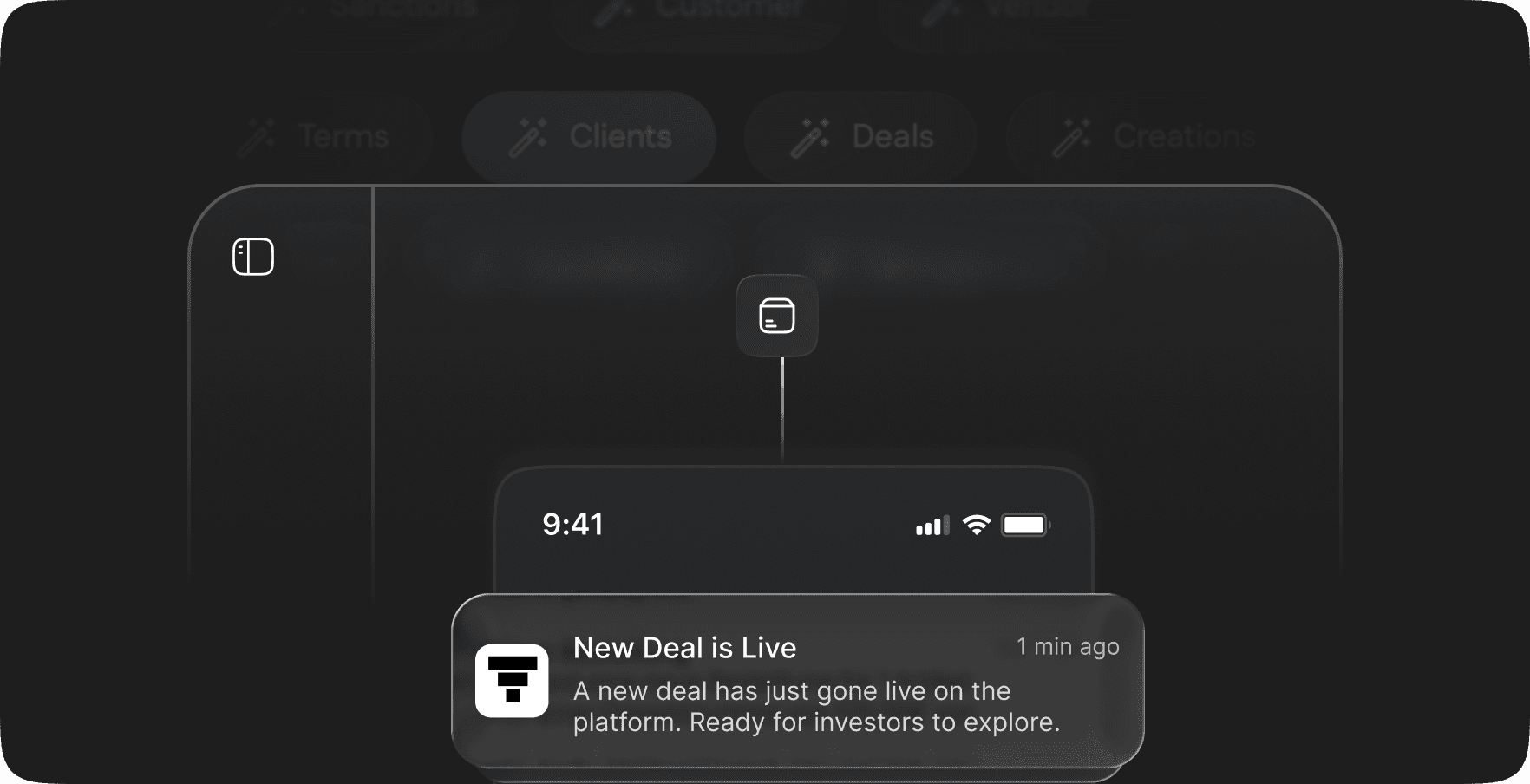
On a deal live page, IS team can manage deals by making them invisible from the tap invest app anytime when needed. add custom visibility for custom users and many more.
Get the full presentation deck plus my resume
Let’s save the detailed part of the case study for later. Drop me an email or contact me via WhatsApp, and we can discuss it further. IYKYK :)
Copy Email
Copied
Impact & Results
The introduction of the Roots dashboard transformed internal operations at Ultra by replacing scattered, manual workflows with a structured, centralized system.
Operational Efficiency
Reduced deal creation time by 80% (from half a day to ~30 minutes).
Eliminated manual JSON uploads and handoffs, saving 10–15 hours per week across teams.
Single source of truth cut redundant communication by ~40%.
Error Reduction & Compliance
Mandatory fields and validations improved record completeness to ~100% before deal creation.
Maker–Checker approval reduced publishing errors by >90%.
Scalability & Growth Readiness
Supported a 5x increase in clients without adding new operations staff.
Infrastructure enabled the business to target ₹250 Cr AUM confidently.
Adoption & Knowledge Transfer
Standardized workflows drove 100% adoption among Analysts and Investor Success within the first month.
Onboarding time for new employees cut by 50% through structured flows.
Qualitative Feedback
Business teams reported significant reduction in dependency on Product and Engineering.
Management gained real-time visibility into deals, improving control over high-value cases.
Reflection & Learnings
As the solo designer, I learned to turn messy, manual workflows into structured systems while balancing efficiency and compliance. This was my first project at the company it pushed me to my full potential to built out this product.
Featured Works

internal dashboard
6 Min read
Scaling Operations
with Zero-Error Workflows
Read the case study

Consumer mobile Application
3 min read
Bringing most love investment option on Tap Invest: Digital Gold
Read the case study